
Gain more reviews in a short timespan
Step 1
Make sure your contacts are properly imported.
If you haven’t done so already, visit our How to import contacts to your Referrizer account article
Step 2
Navigate to the Reputation Module
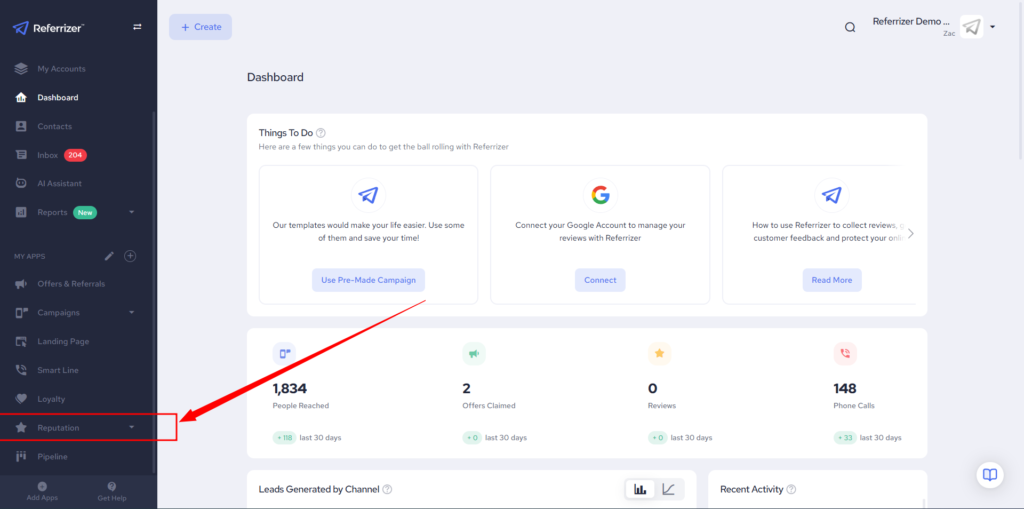
Step 3
Click on “Boost Reviews”
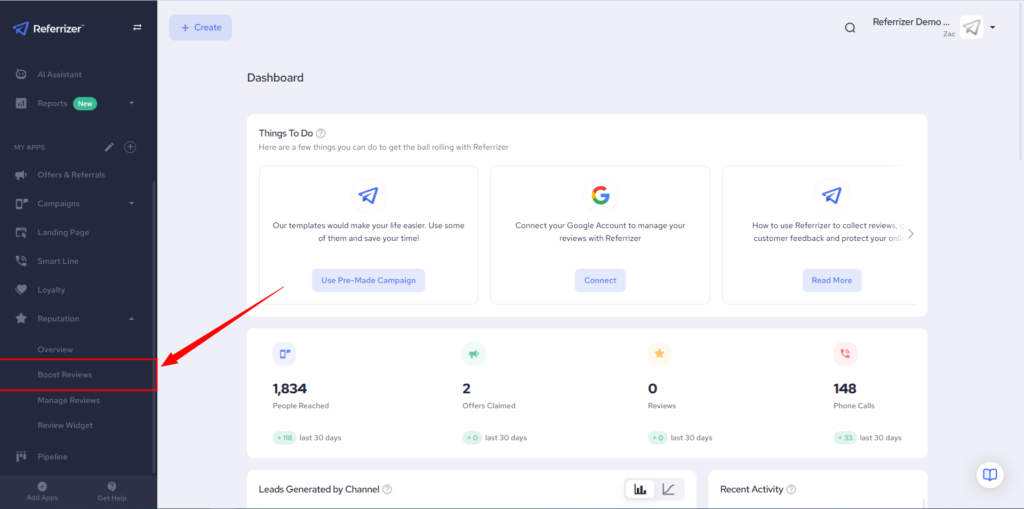
Step 4
Choose which type of campaign you want to run. Email or SMS
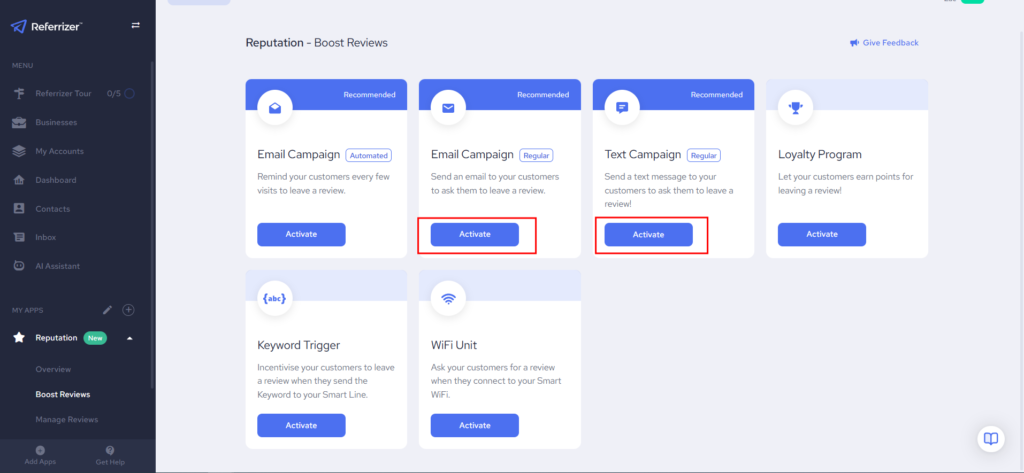
Running an Email Campaign
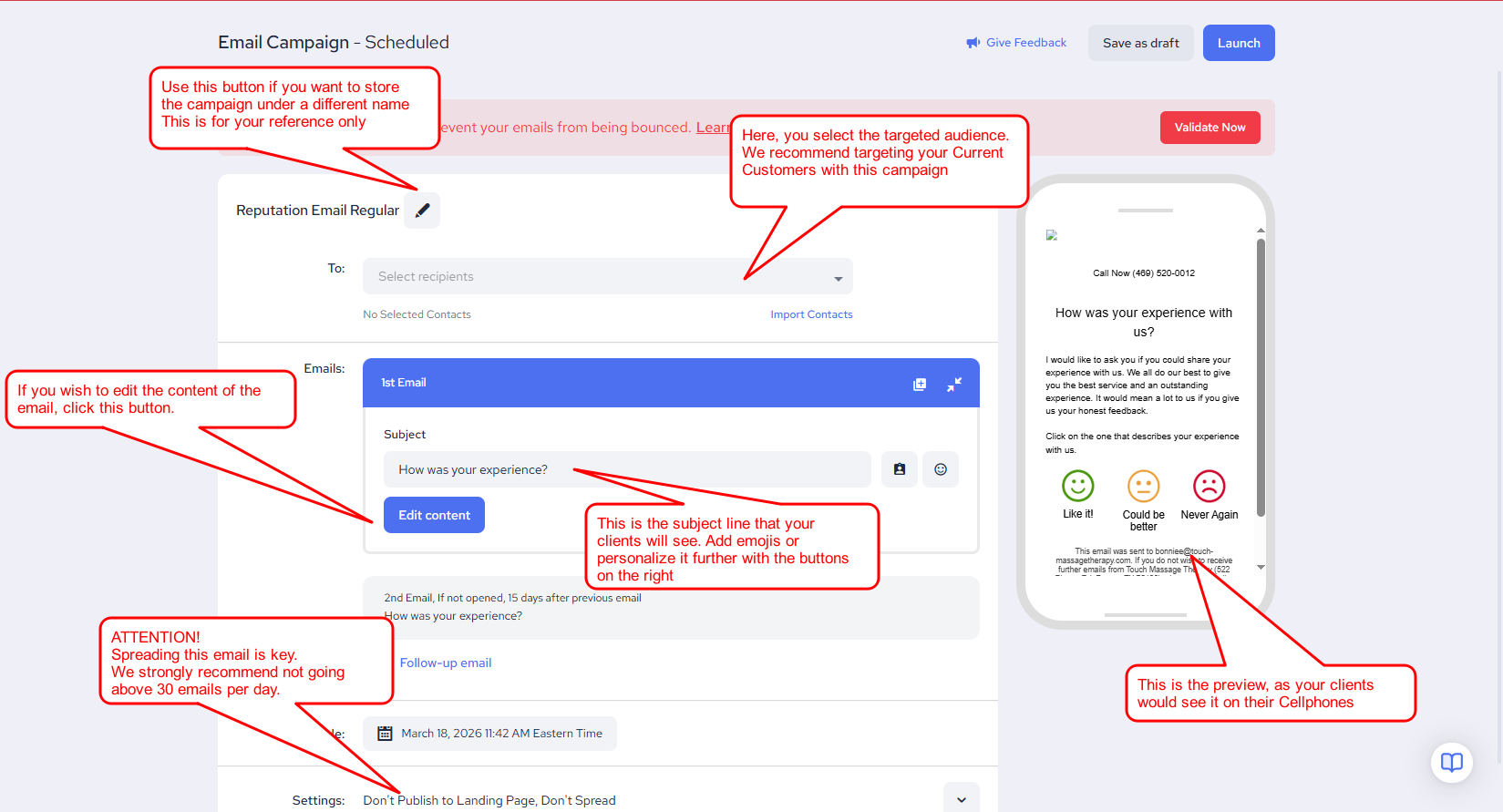
Once you’re happy with the edits made to the campaign, Simply hit launch at the top right corner of the screen
Running an SMS Campaign
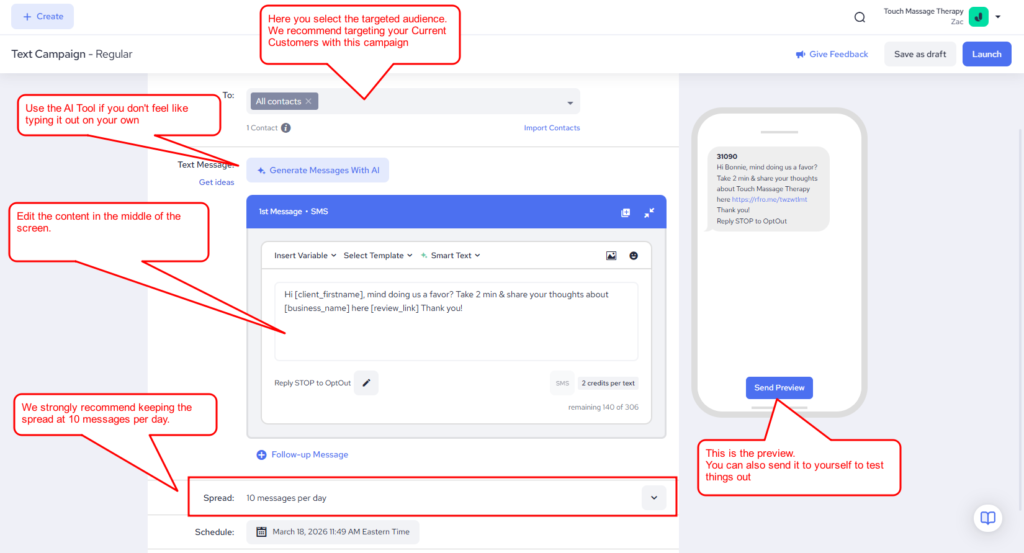
Once you’re happy with the edits made to the campaign, Simply hit launch at the top right corner of the screen
You’re done.
How to run a reputation campaign through an HQ account
In the case that you’re using an HQ account to manage multiple locations, all steps remain the same with one add-on.
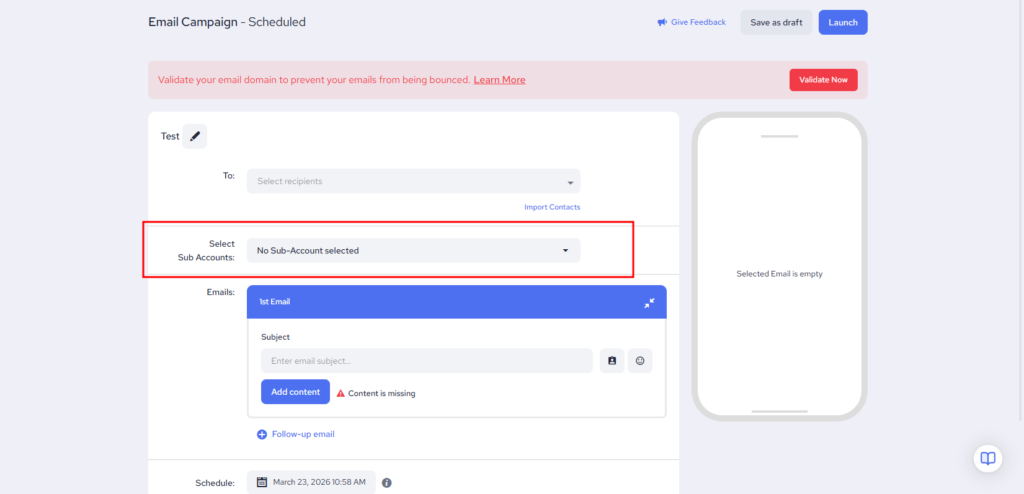
Selection of the locations you want the campaign to go through.
Use the highlighted section in the E-mail Campaign Setup to choose from which locations you want to send the campaign out from.
Same Applies to SMS Campaigns
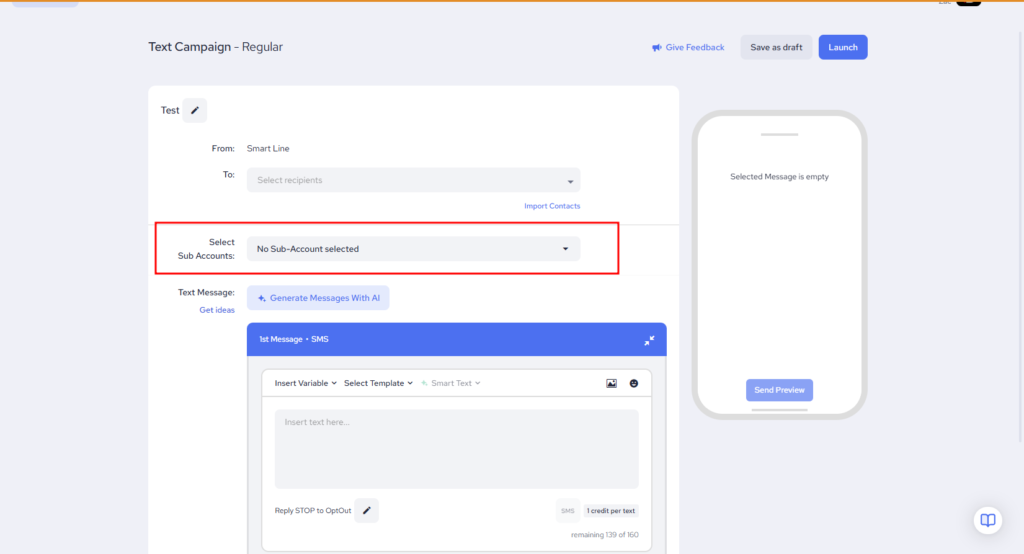
Note: This option is only available to HQ Accounts.