
Referrizer’s Pipeline feature allows you to easily an seamlessly follow up with your leads from different sources.
To add it to your account, follow the steps below.
Step 1
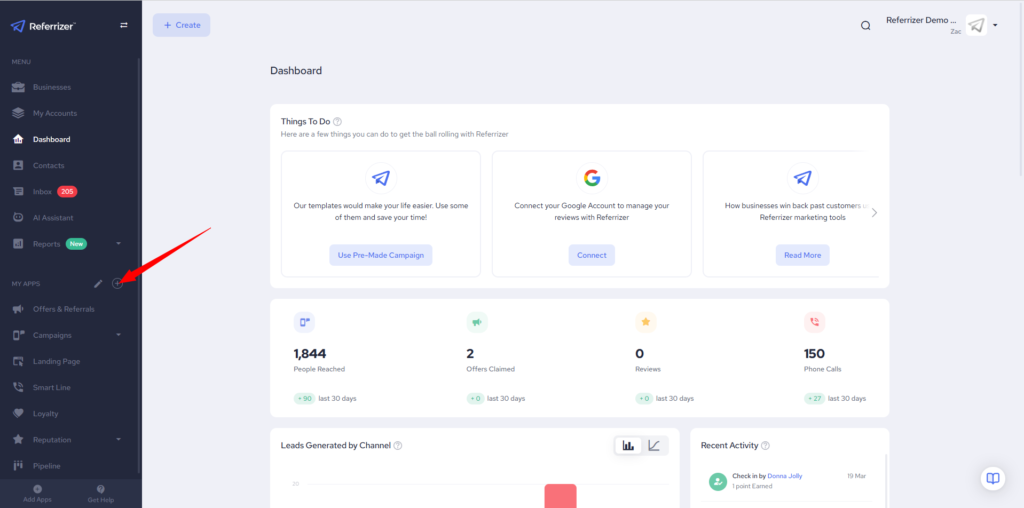
When on your dashboard, navigate to the module bar on the left-hand side and click on the highlighted “+” icon
Step 2
Click on the “Add App” icon on the Pipeline window
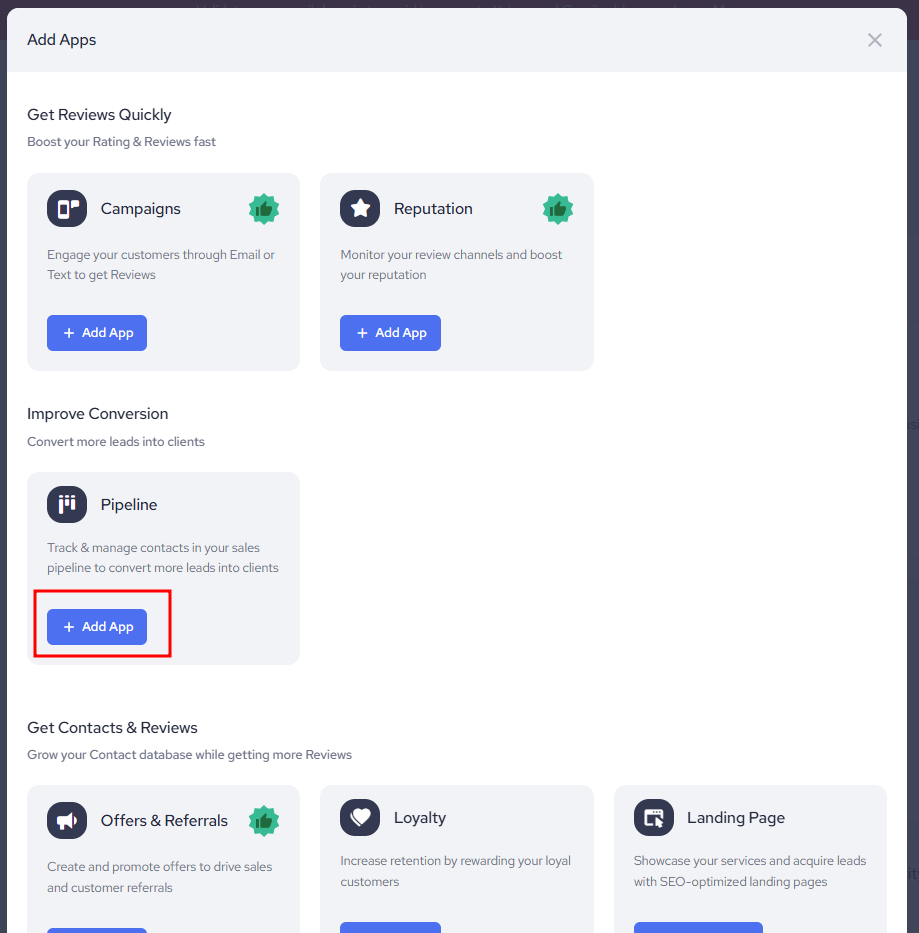
If the app is not a part of your package, the button will see “Upgrade Plan”
In that case, please reach out to support via live chat, via email support@referrizer.com or simply call us at 305-363-7639 and select option 2