
Sometimes, clients may unintentionally unsubscribe from receiving messages through text or email. Later, they might realize what they’re missing and request to be resubscribed. Here’s a quick overview of how to resubscribe them into the system.
Important: In some cases, resubscribing through Referrizer may not work directly:
- If your client has unsubscribed from emails through Mindbody, this status will sync back to Referrizer at their next check-in or visit.
- If they replied “STOP” to opt out, an additional step may be required*.
Steps to Resubscribe a Customer:
Step 1:
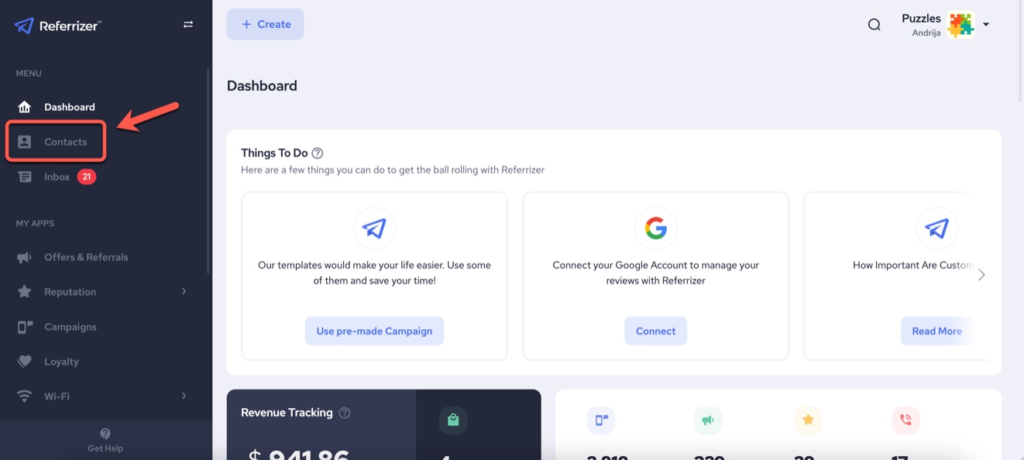
Access the Contacts Page from the left-hand side of your account.
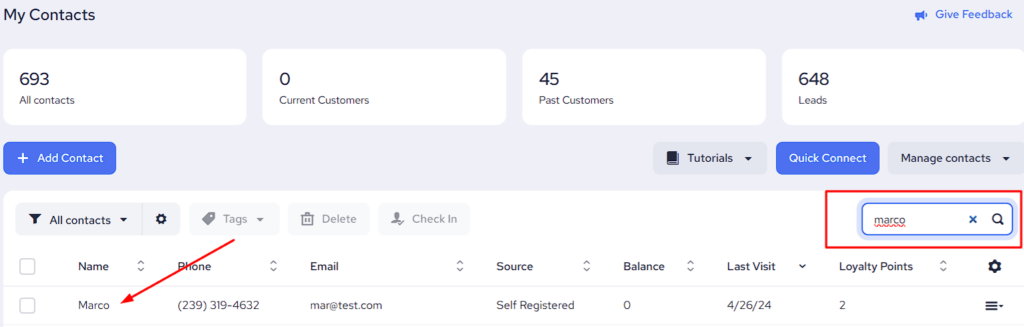
Enter the client’s name in the search bar from the right-hand side and then click on their name to open their account like it’s displayed below.
Step 2:
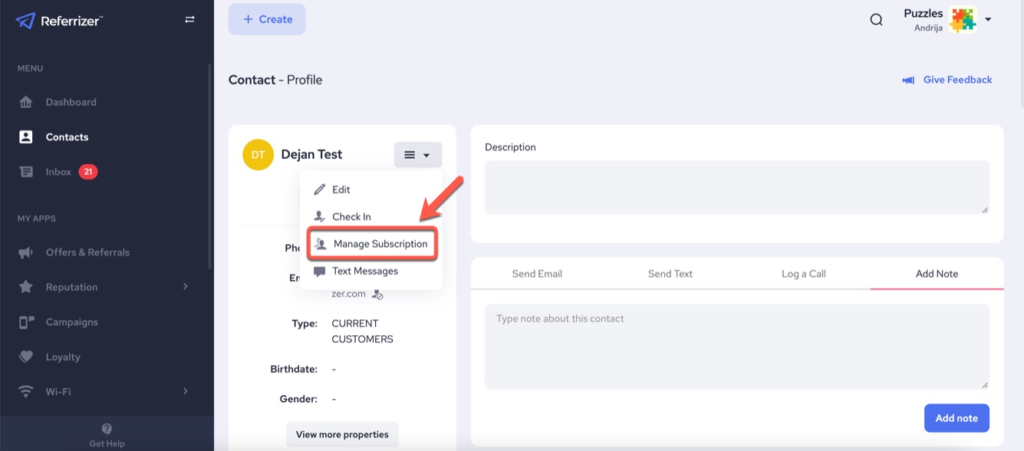
Once the customer’s profile has been opened, click on the menu button next to their name and a dropdown list will appear. Select Manage Subscription.
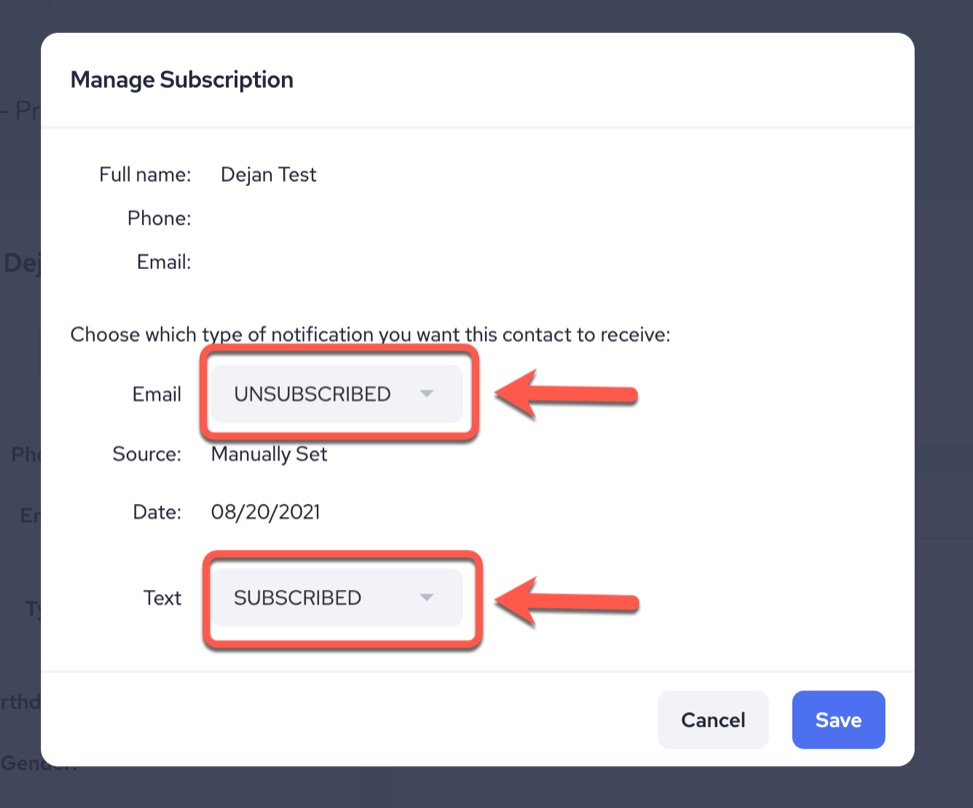
If it shows “Subscribed” next to Email or Text, the contact is currently subscribed. If it shows “Unsubscribed,” you can change it to “Subscribed” using the dropdown menu and then click Save.
Note: If a client is resubscribed to texting but still not receiving messages, their cellular carrier may have a block in place. Have your client send a text with the word “SUBSCRIBE” to your Referrizer SmartLine number. This will reauthorize text messaging for them.