
So you’ve put together something really special that you’re eager for everyone to see, or maybe you have a heartfelt message that just won’t squeeze into a text message’s tight space.
Of course, we wouldn’t suggest skipping the charm of a good old email campaign – they’re still a fantastic way to stay in touch and keep the love for your brand alive and kicking. But for those times when you’ve got a bit more to say, we’ve made it super simple to share that important info with a handy link you can pop into any text. This way, your big ideas get the spotlight they deserve!
Step 1:
Create your email. For more information on this click here
Step 2:
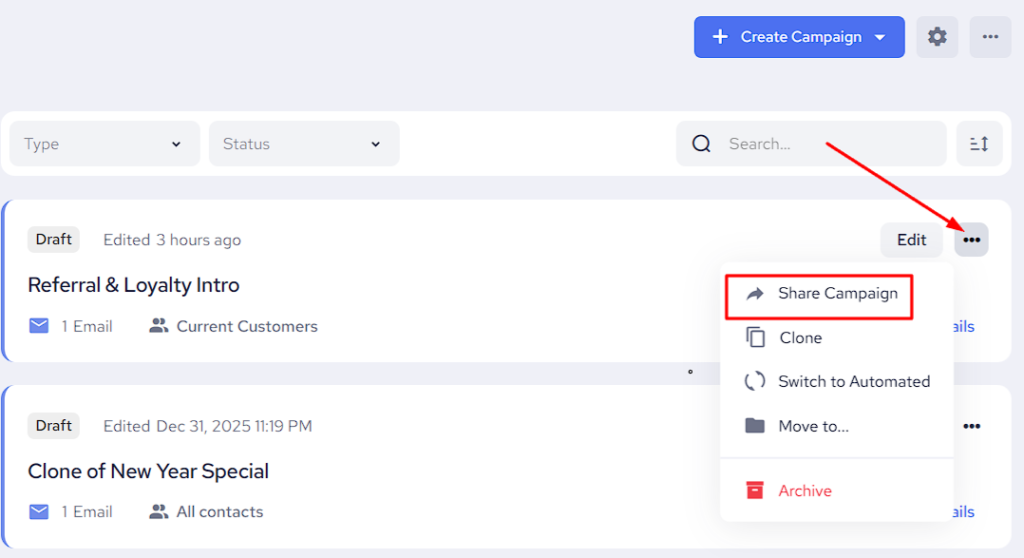
When you’re done with editing your Email Campaign, you can click the options button with on the right-hand side and select “Share Campaign” as displayed below
Step 3:
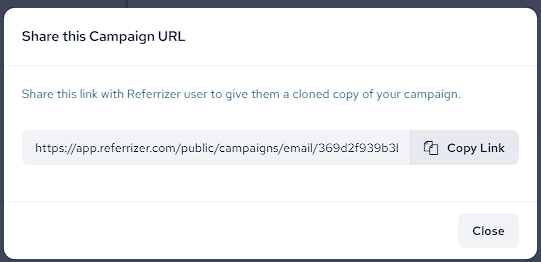
Now you can choose “COPY LINK”
Step 4:
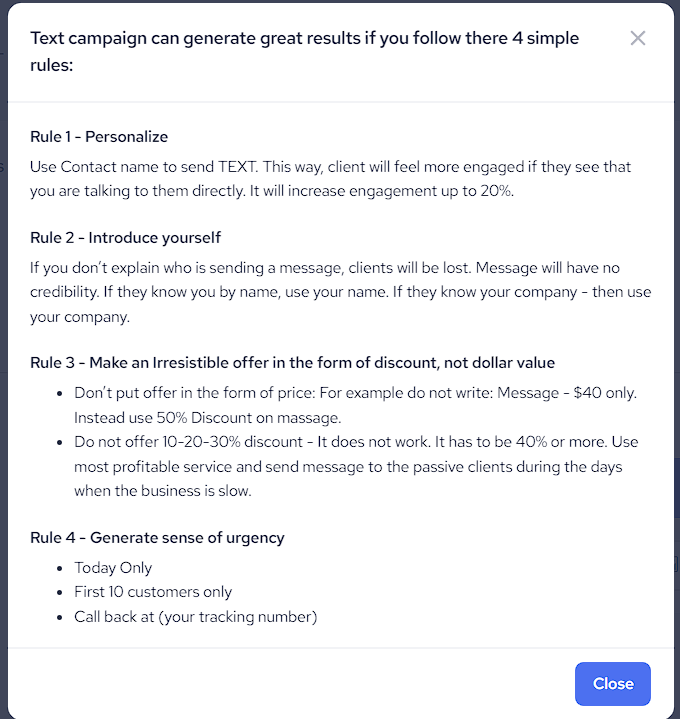
Paste the copied link into your text campaign. All full links used in a text campaign will count automatically as 23 characters and this needs to be factored into your text creation. Just add a few enticing words to encourage people to click on the link and check it out. Do not send the link to your contacts without an explanation what is it about. Make sure to follow these rules when creating a text campaign:
This is an amazing way to share important events or change of policies with your customer base and create excitement while reducing the amount of credits needed for a text campaign.