Our new reporting system will provide you insights, information, and evidence to support your decision-making, evaluation, complience, communication, and performance tracking needs. By summarizing complex information and presenting it in a concise and understandable format, reports allow clients to share updates, progress, and results with team members, executives, investors, or other relevant parties. Every type of the report would allow to track the usage of the Referrizer platform by all your locations.
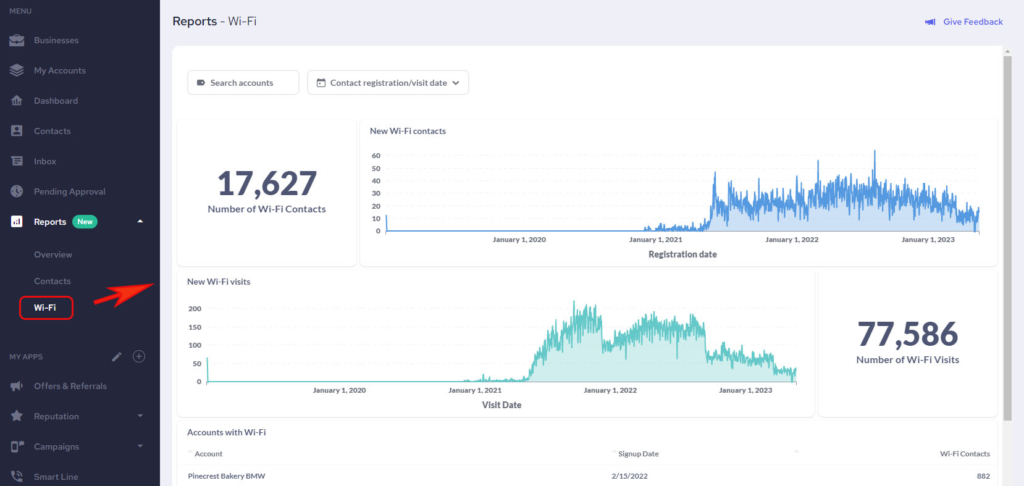
New page named Reports in the sidebar navigation has been added. Clicking on it diferent pages would be available depending on the module your business is currently using with Referrizer.
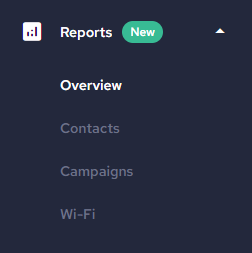
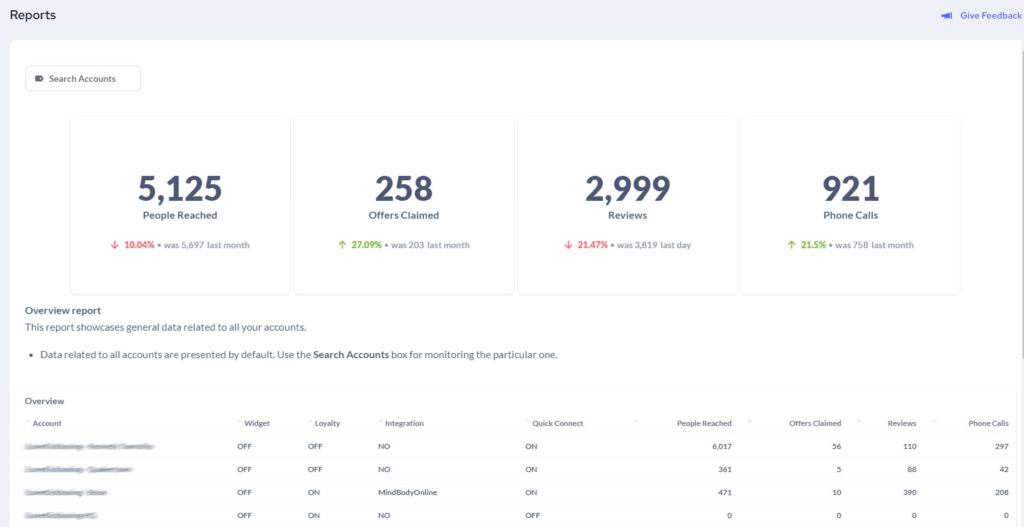
Overview Reports – an overall report which includes a comprehensive analysis and summary of the company’s performance accross its various locations. General data for each location have been included.
- Search Accounts box can be used for monitoring the performance of individual locations


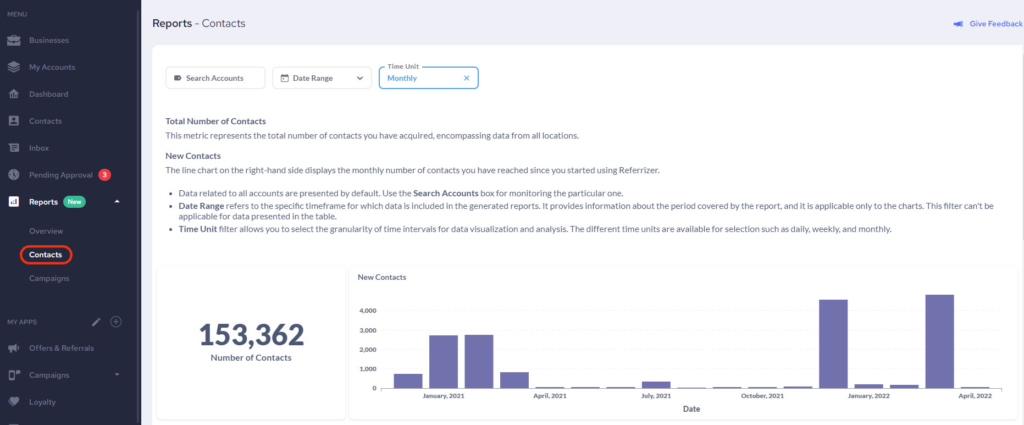
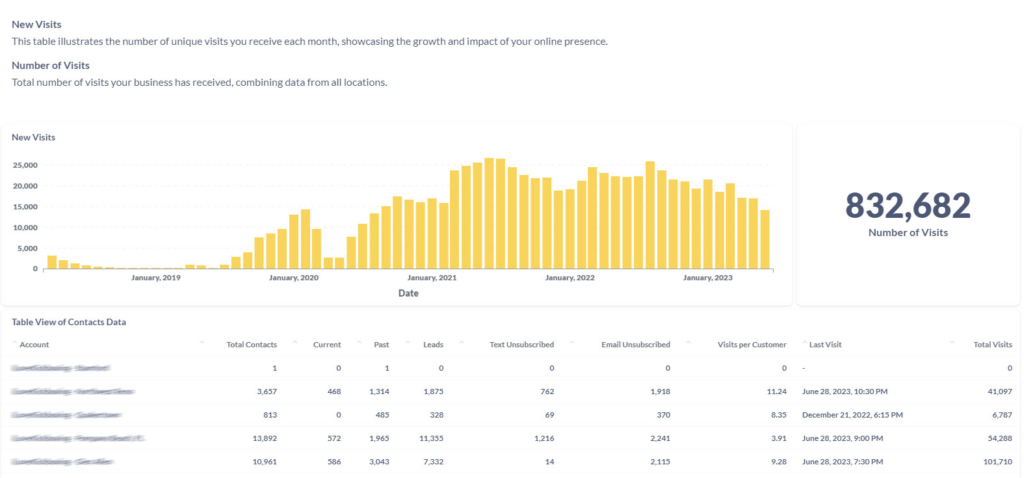
- Contacts Reports – Gain insights into your locations’ contact management through detailed reports. This valuable tool allows you to assess how each location handles their contacts, enabling you to make informed decisions on improving performance. By analyzing this report, you can identify any necessary action steps required to enhance the efficiency and effectiveness of a specific location.
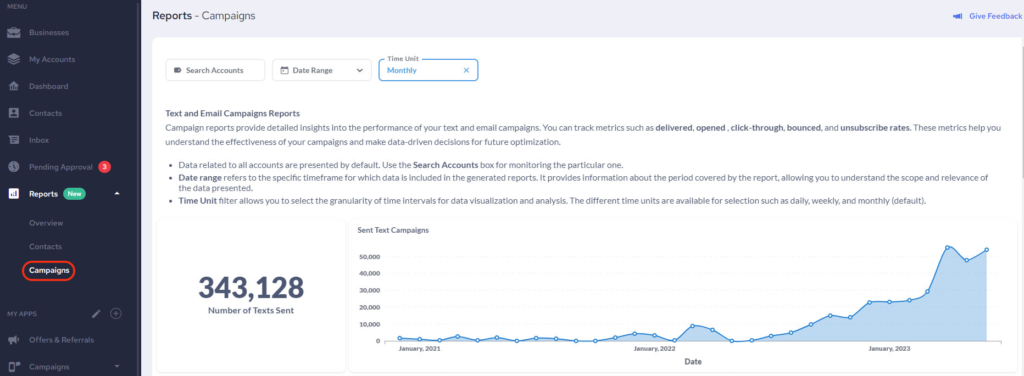
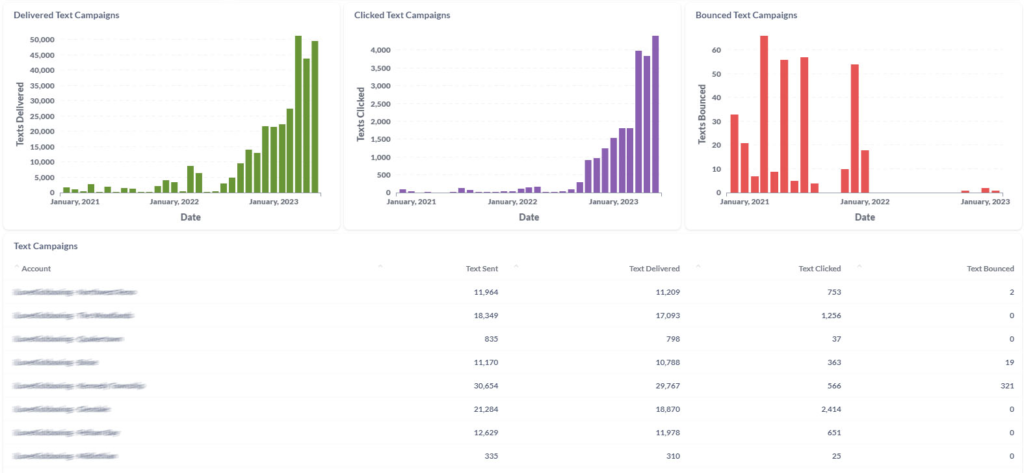
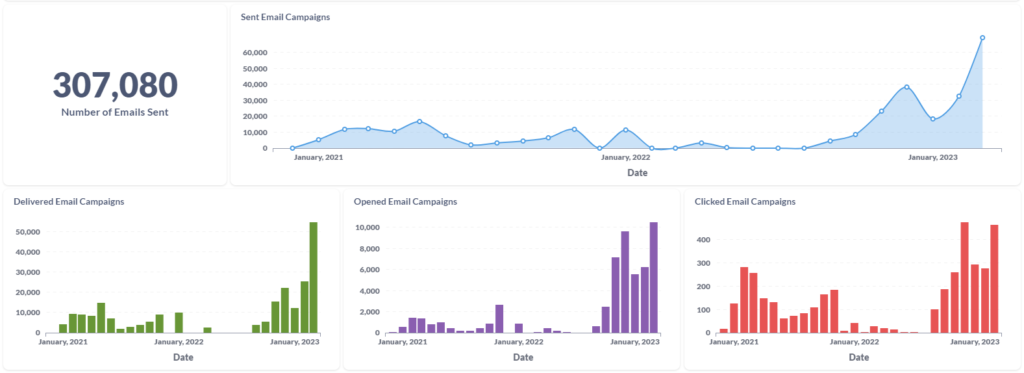
- Campaigns Reports – This report will provide you with detailed insights into the performance of your text and email campaigns. You can track metrics such as delivered, opened, click-through, bounced and unsubscribed rates. Monitor all accounts at once, or one by one with Search Accounts box.
Wi-Fi Reports – Harness the power of our Wi-Fi device to fuel your business growth and monitor its impact through comprehensive reports. This invaluable feature allows you to analyze how our Wi-Fi device contributes to your business’s success. By examining these reports, you can uncover valuable insights into the ways Wi-Fi is enhancing your operations and driving growth. Leverage this information to make data-driven decisions and optimize the performance of your Wi-Fi network, ultimately propelling your business forward.
Export your Report
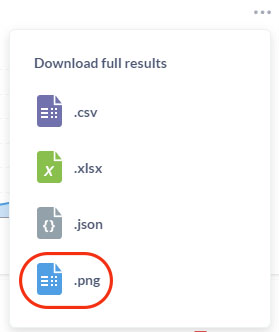
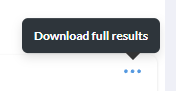
- On hover over the report table the Export option would show up. You will be able to download full results in three different formats:
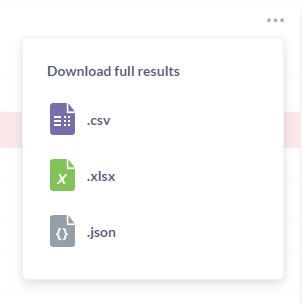
- For chart data export one more option is available, and that is PNG format