
You can embed any of your offers as a lead-generating pop-up in order to incentivize visitors to come to your business and opt-in for promotions.
To get started, you’ll need to get your embed code from Referrizer (instructions below). Need more help? Please contact support and they’ll guide you through the process.
Please note that you must have at least one active offer to use the website widget.
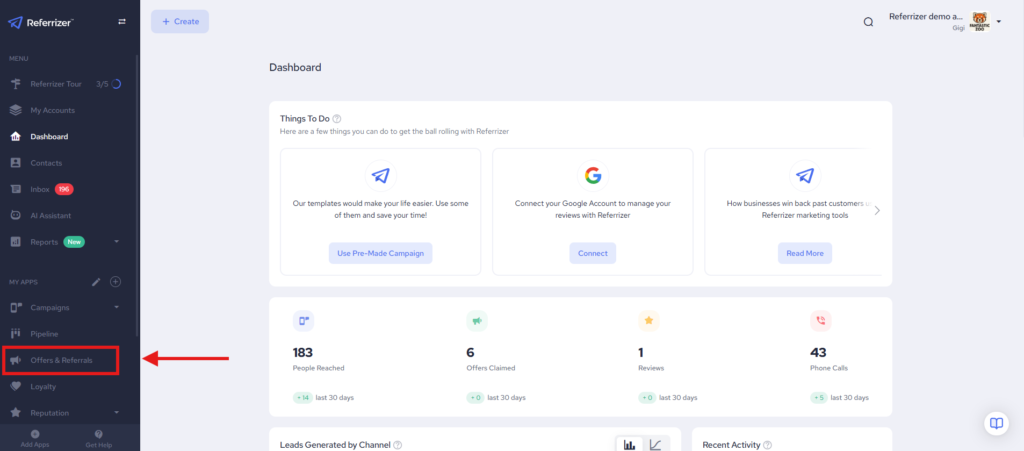
1. Navigate to Offer & Referrals
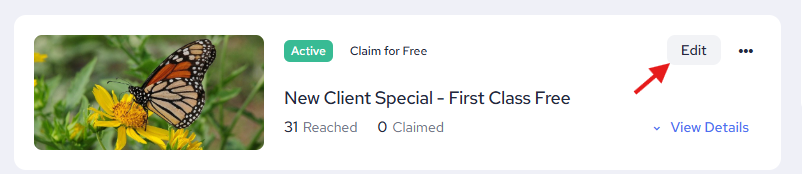
2. Edit the offer you wish to display.
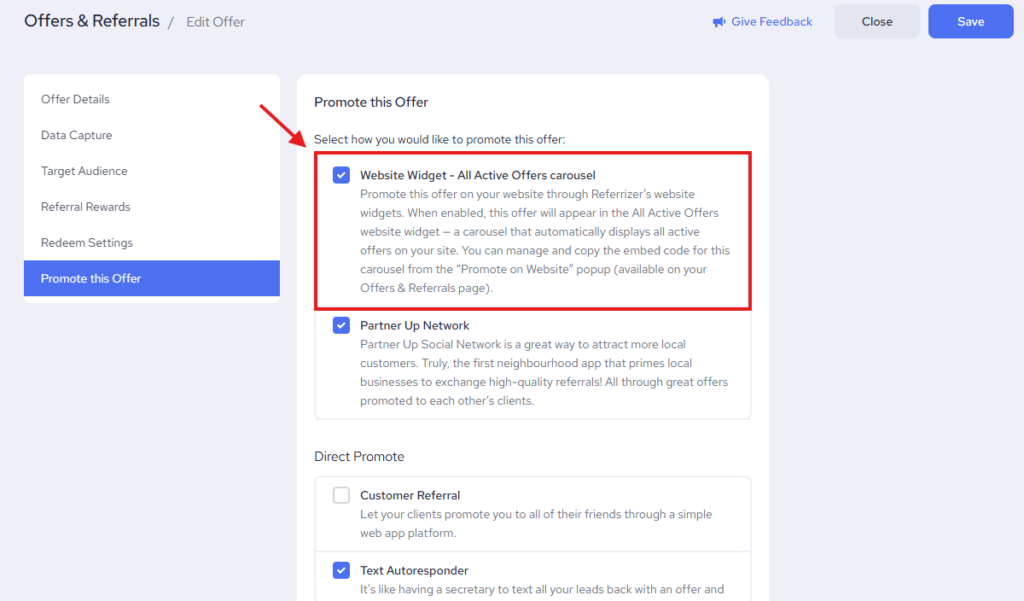
3. On the Promote this Offer tab, check the Website Widget button.
Editing the Website Widget
- From the Offers & Referrals, go to Settings in the top right corner.
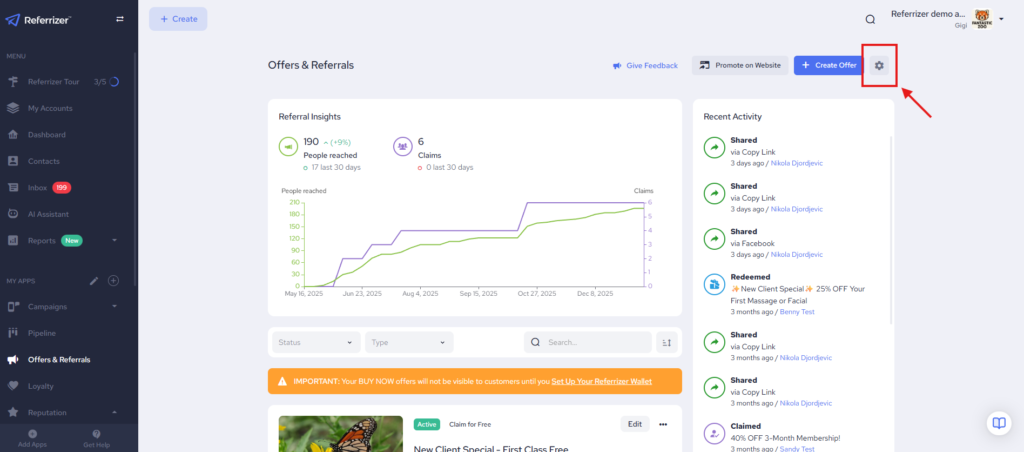
2. Click on Website Widget

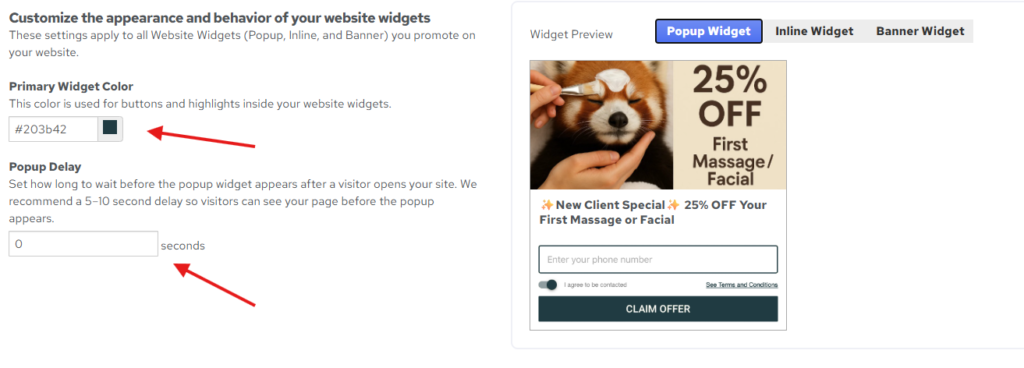
3. Choose a color for the “Claim Offer” button to match your branding. You can preview the widget appearance on the right as you make changes.
4. We recommend no delay but if you prefer one you can set it here. Make sure to save your changes.
Getting the Code
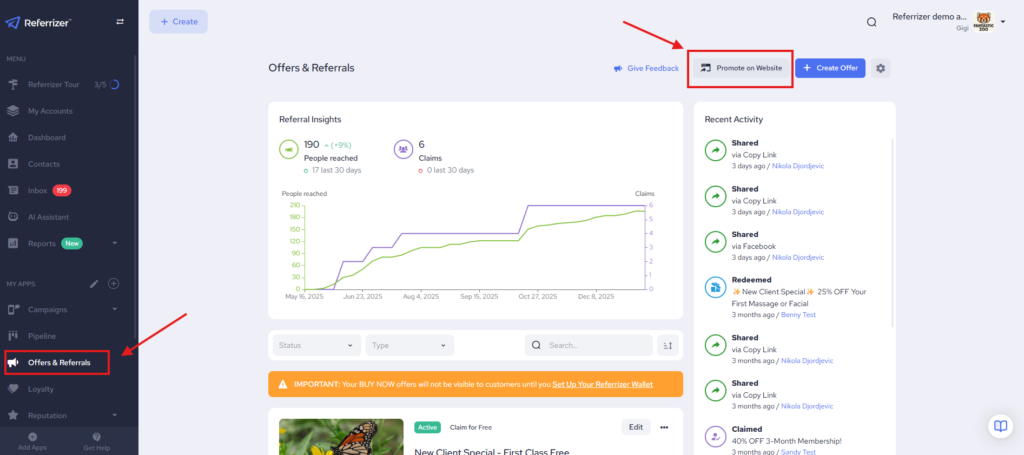
- From Offers & Referrals click Promote on Website
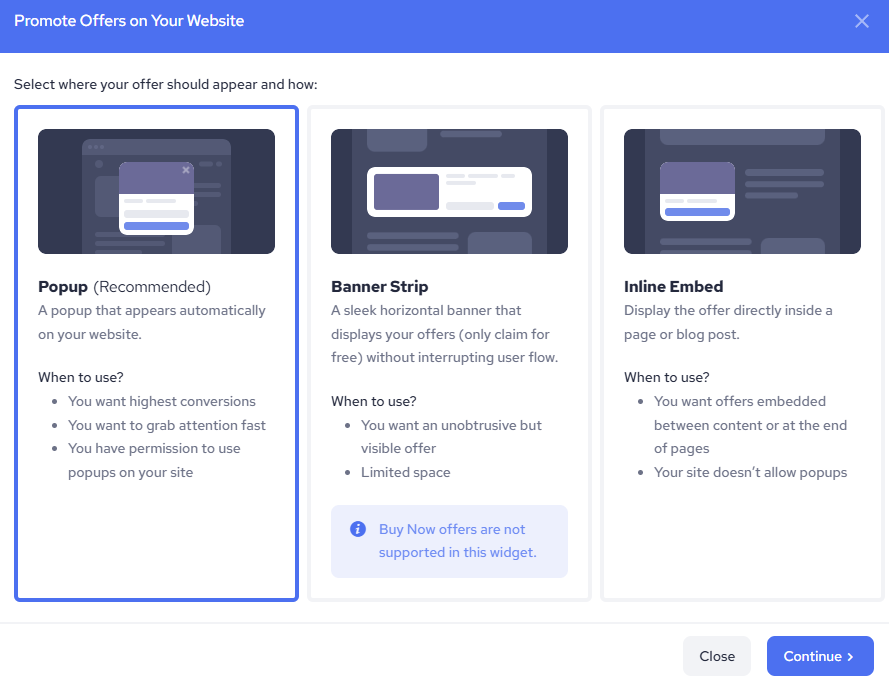
2. Select which widget you would like to use.
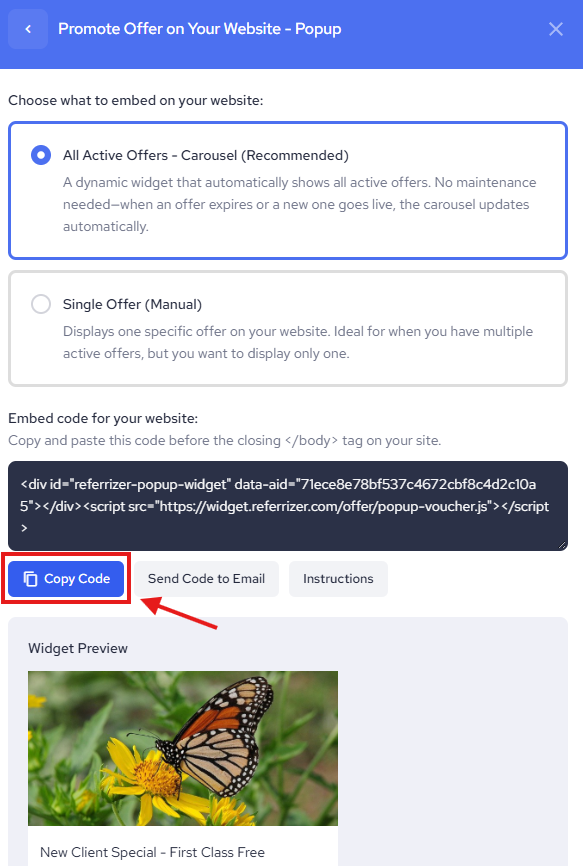
3. Click “Copy Code” to copy the widget embed code to your clipboard so that you can easily place it on your website. You only need to do this once.
Embed the copied code snippet into your website
If you prefer, you can also email the code to your web developer along with these instructions and they should be able to take care of it. We also have detailed instructions for some of the most common website platforms. If you still need help, feel free to contact your Account Manager or send an email to support@referrizer.com