
To improve the interaction of clients with your website, we recommend adding an Offer or Review pop-up.
The first thing you should do is to access the code for the preferable Pop-Up by clicking here and following these instructions.
How to add the Pop-Up on a WordPress Website
In order to add your Pop-Up to your WordPress Website, you will need to install a custom plugin first. This plugin will help you manage widgets with ease.
Install the required plugin by following these steps:
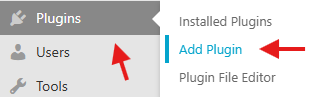
1-Click on the Plugins option from the left-sidebar
2-Click on Add Plugin
3-In the search field, enter “WPCode”
4-Look for the “WPCode – Insert Headers and Footers + Custom Code Snippets – WordPress Code Manager” plugin
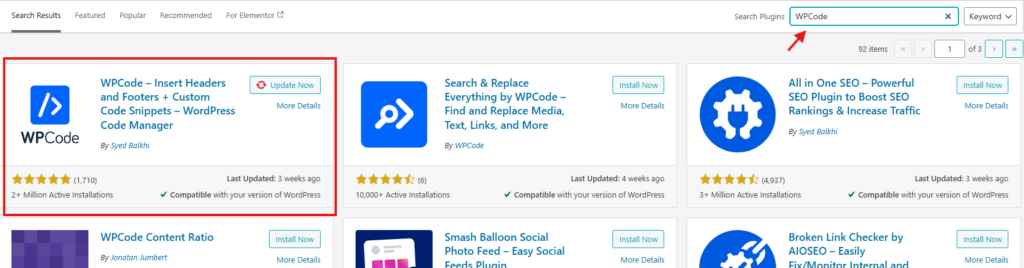
5-Click on “Install Now”
6-Once you’ve installed this plugin, you will have to click “Activate”. It will be in the same location as the “Install Now” button was.
Add the code:
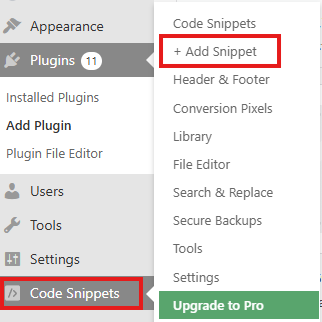
- Inside your admin dashboard, go to “Code Snippets” on the left sidebar
- Click on “+ Add Snippet”
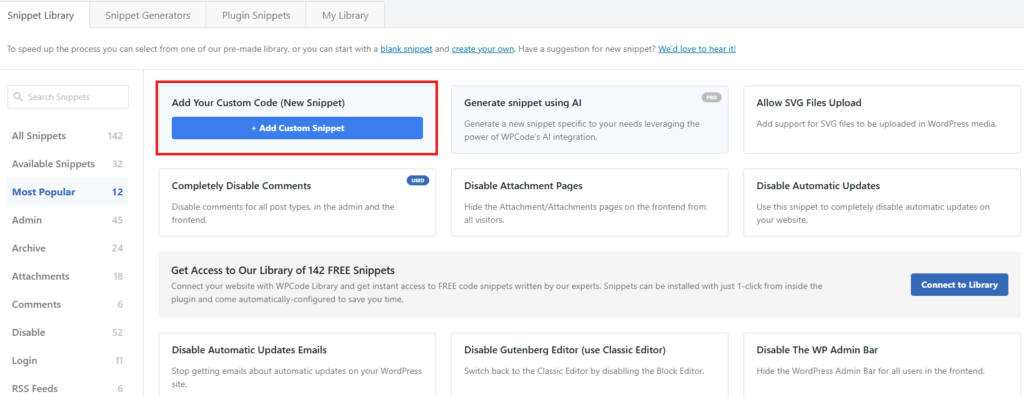
- Click on “Add Custom Snippet”
- Paste the widget code in the last text box named “Scripts in Footer”
- Click on “Save”
1. Inside your admin dashboard, go to “Code Snippets” on the left sidebar
2. Click on “+ Add Snippet”
3. Click on “Add Custom Snippet”
4. Click on “Add HTML Snippet”
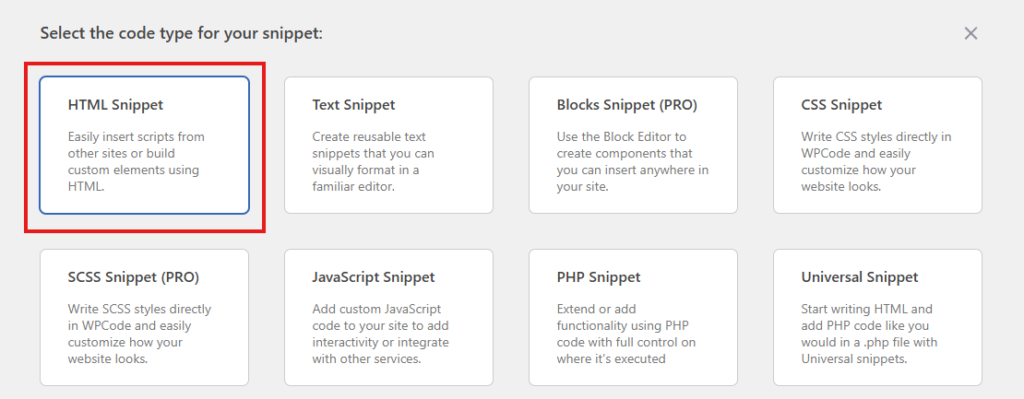
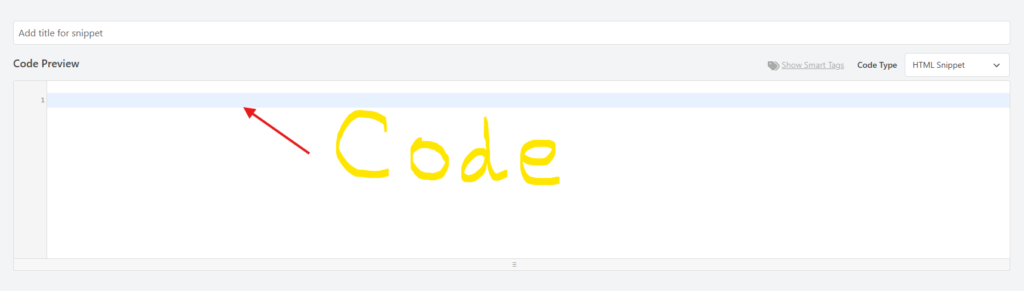
5. Paste your Widget Code in the Code Preview Box.
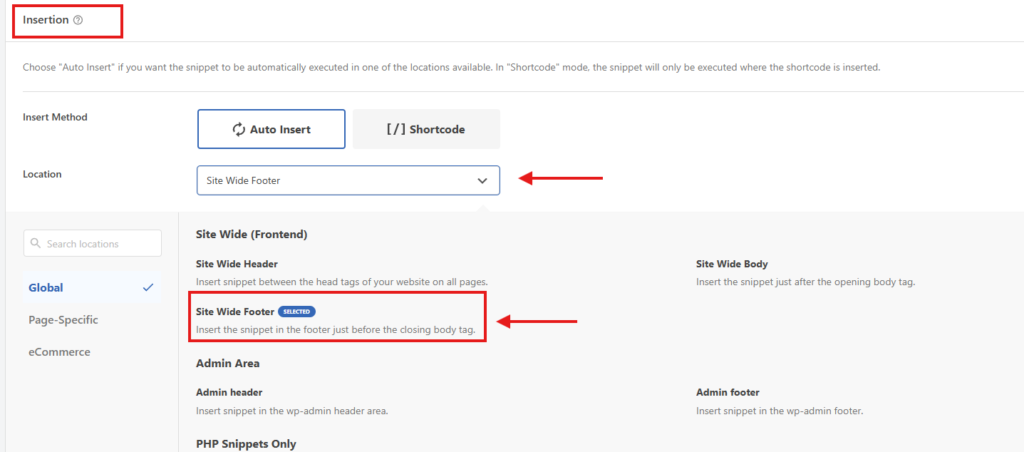
6. In the Insertion section, change the Location to Site-Wide Footer.
7. Activate the Widget & Save
