
This article guides you on how to access and modify the working hours for your business account.
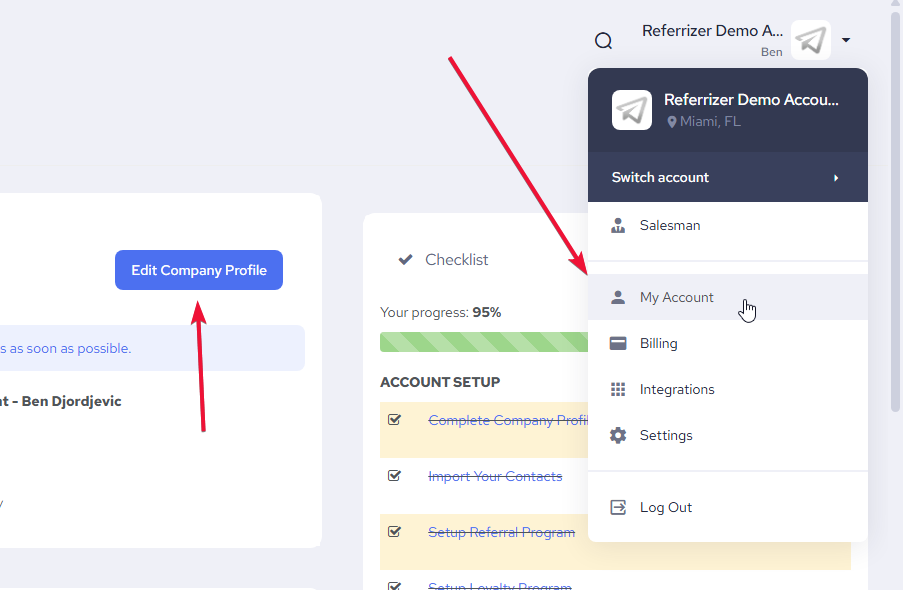
Step 1: Edit Your Account
- From the “My Accounts” page, go to ‘Edit Company Profile’
Step 2: Access the “Set Working Hours” Pop-up
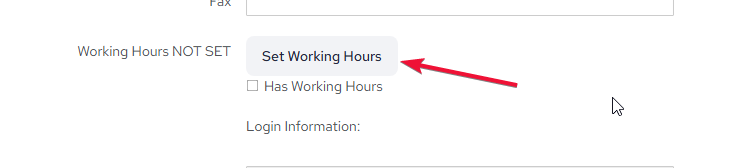
- Scroll down the “Edit Account” page until you find the “Working Hours” section.
- Click on the link that says “Set Working Hours.”
Step 3: Update Your Working Hours
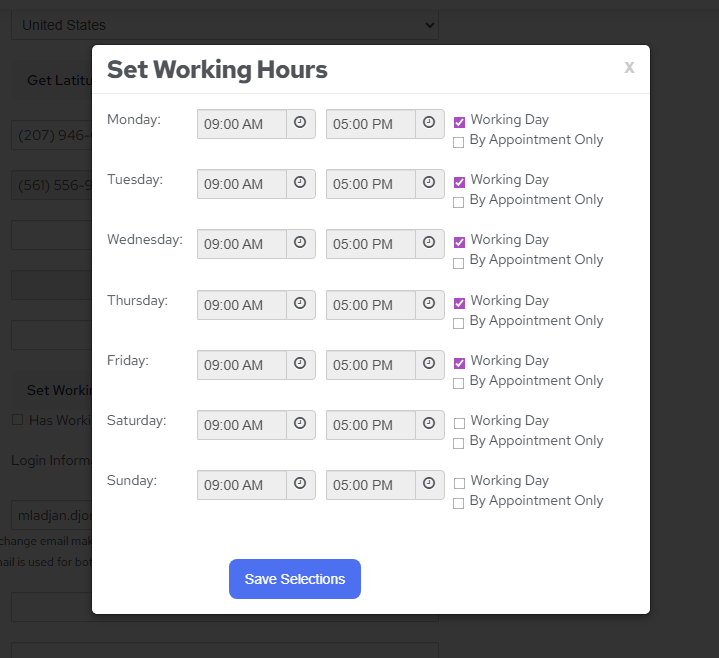
- In the “Set Working Hours” pop-up, you can adjust the start and end times for each day of the week (Monday to Sunday).
- If your business is closed on a particular day, leave the times as they are and do not check the “Working Day” box.
- You can also check the “By Appointment Only” box if applicable.
- Once you have made your changes, click the “Save Selections” button at the bottom of the pop-up to save your new working hours.
By following these steps, you can easily find and update the working hours for your account.