
This article will guide you on how to set up quiet hours for your Referrizer SMS campaigns, explaining the importance of this feature for your marketing strategy.
What are Quiet Hours?
Quiet hours are specific time periods, typically during the night and early morning, when marketing text messages should not be sent. This feature is crucial for both legal compliance and marketing effectiveness.
Why Quiet Hours are Important:
- Customer Experience: Sending messages at inconvenient times can annoy customers and damage your brand’s reputation. Respecting their quiet hours shows you value their time, which can lead to increased loyalty and trust.
- Engagement Rates: Customers are more likely to open and engage with messages sent during reasonable hours. This leads to higher click-through rates and better overall campaign results.
- Legal Compliance: Many countries and regions have laws and regulations, such as the Telephone Consumer Protection Act (TCPA) in the United States, that restrict the times when promotional messages can be sent. Adhering to these quiet hours helps you avoid costly fines and legal issues.
Steps to Set Up Quiet Hours:
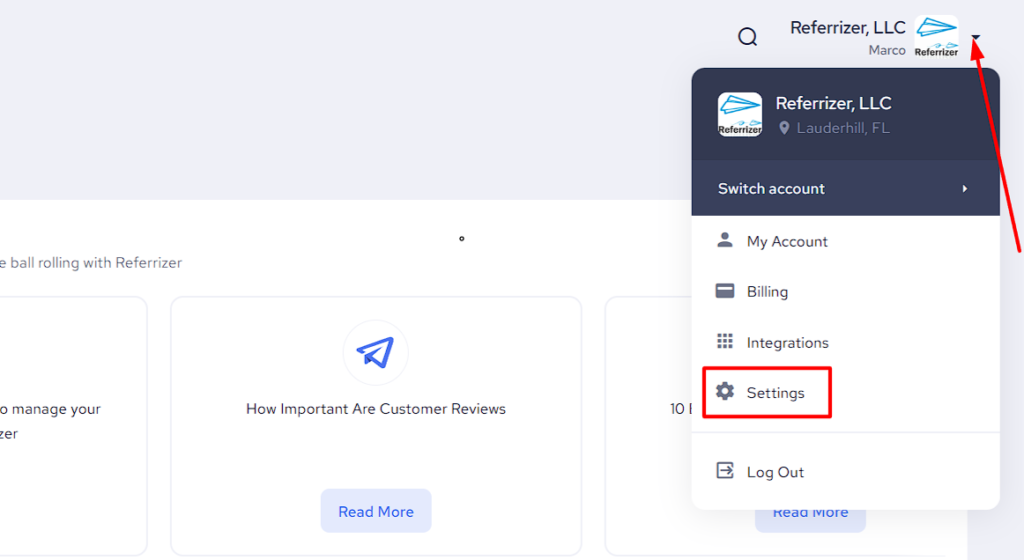
Navigate to your Referrizer Settings by expanding the menu next to the logo in the top-right corner, as displayed below.
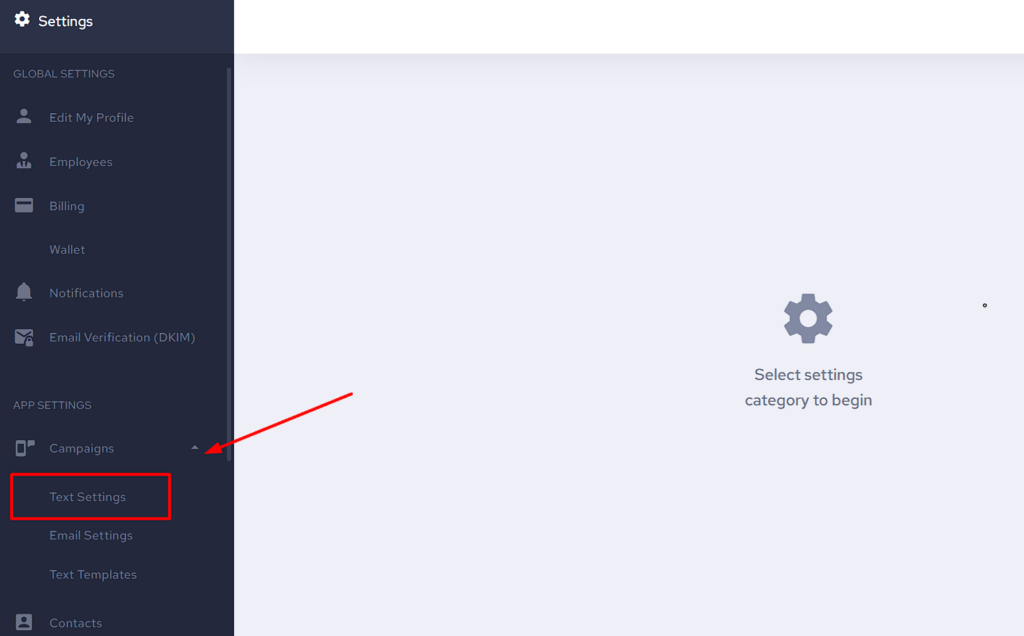
Now navigate to the Campaigns drop-down menu from the App Settings on the left-hand side and select Text Settings as displayed below.
Turn ON/OFF sending texts on any particular day or simply adjust your desired start and end times for the quiet hours (the period when texts should NOT be sent) and don’t forget to save your changes once you’re finished.
When no custom settings are configured, the default quiet hours are 9:00 PM to 9:00 AM for every day (meaning texts only go out between 9 AM and 9 PM).
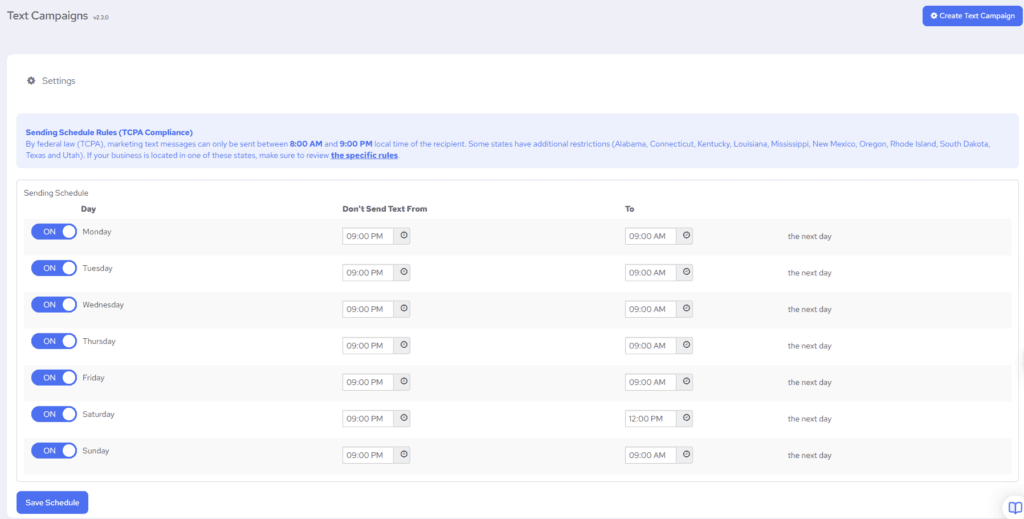
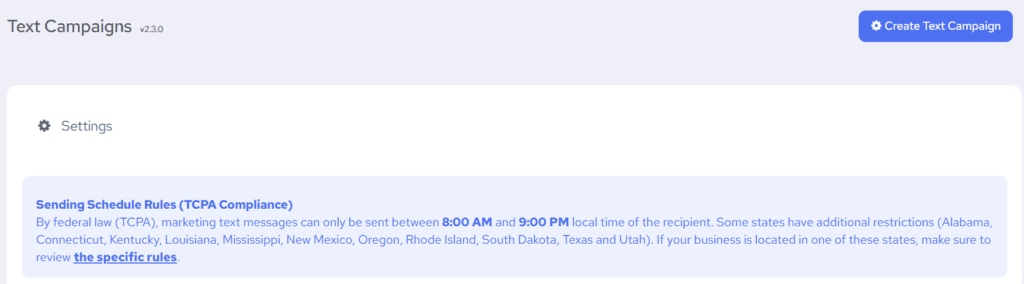
Be aware that by federal law (TCPA), marketing text messages can only be sent between 8:00 AM and 9:00 PM local time of the recipient.
Even if you try to set a wider sending window, the system automatically clamps it: messages will never be sent before 8:00 AM or after 9:00 PM, regardless of settings. This is a hard safety net.
Turning all days OFF will prevent all text campaign messages from going out.
State-specific rules can be found here.
These settings only apply to text/SMS campaigns — not email campaigns.