
Periodically you may decide to change your login password for your Admin Referrizer Account. You can do this directly from your company profile settings.
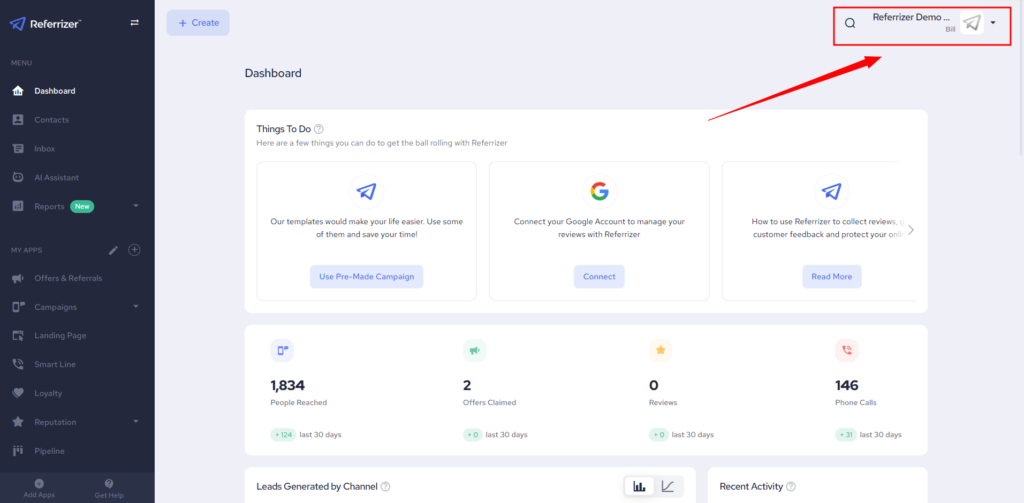
First click on your name in the top right corner:
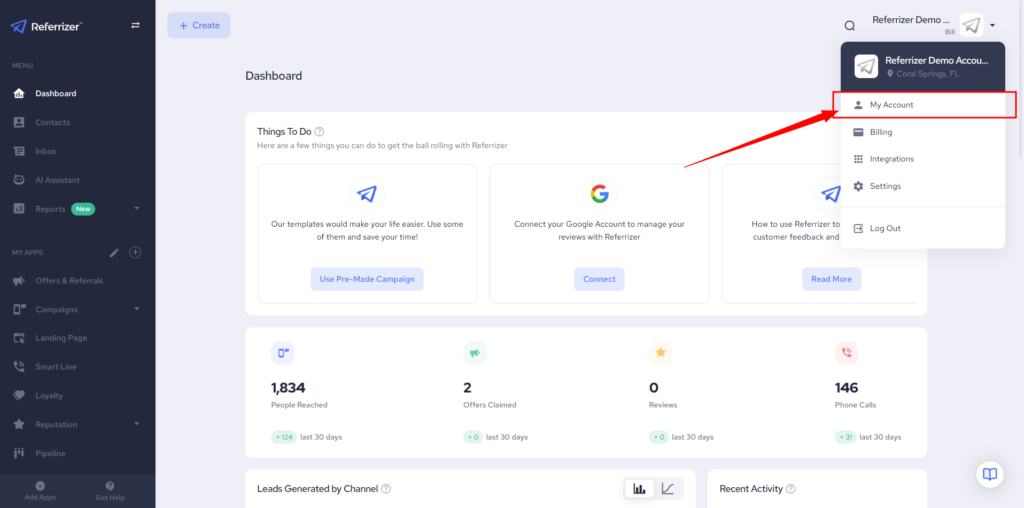
Next click on My Account:
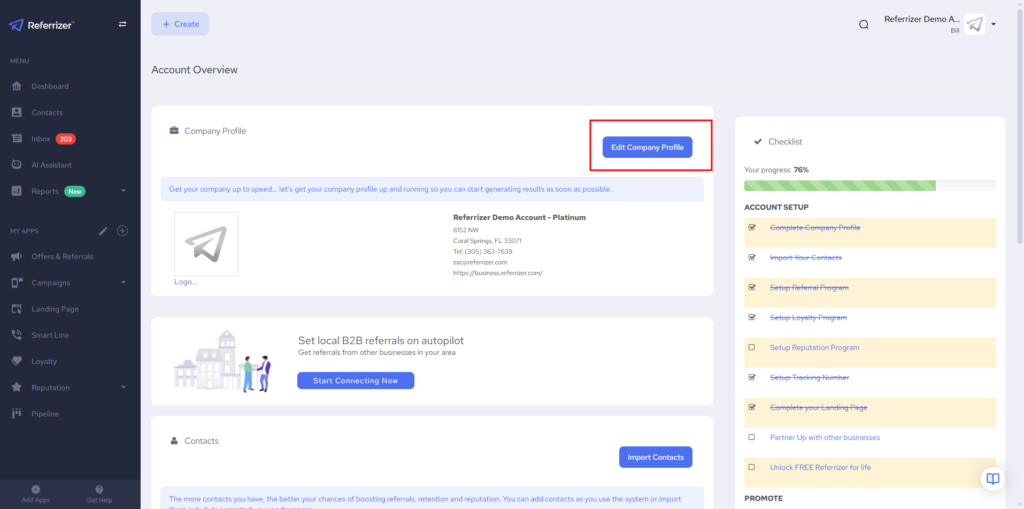
Then click Edit Company Profile:
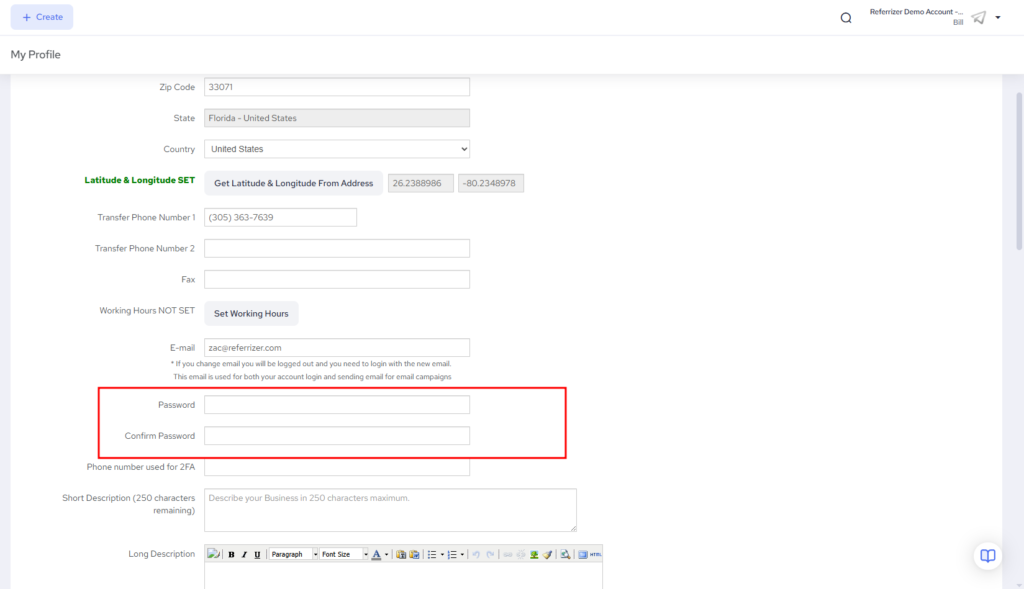
Scroll down to the password section. Then enter and confirm your new password.
After confirming your new password, scroll down to the end of the page and click “Save Changes”
You’re done.