
Yes.
Through the Campaign Builder
Go to Campaigns>Regular, and then click on Create Campaign>New Campaign.
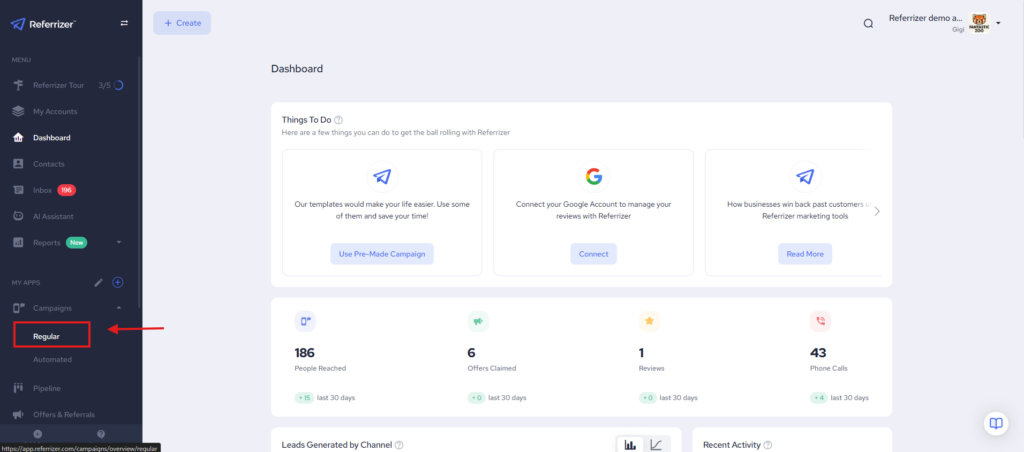
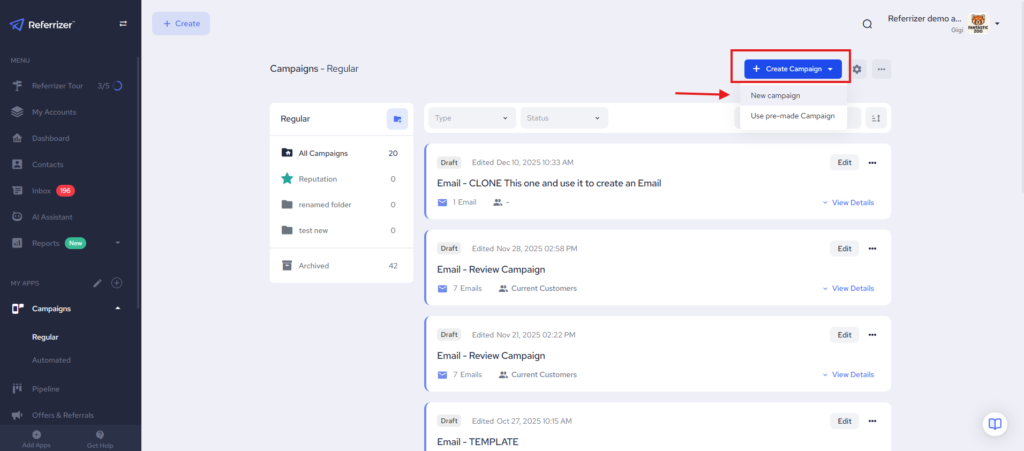
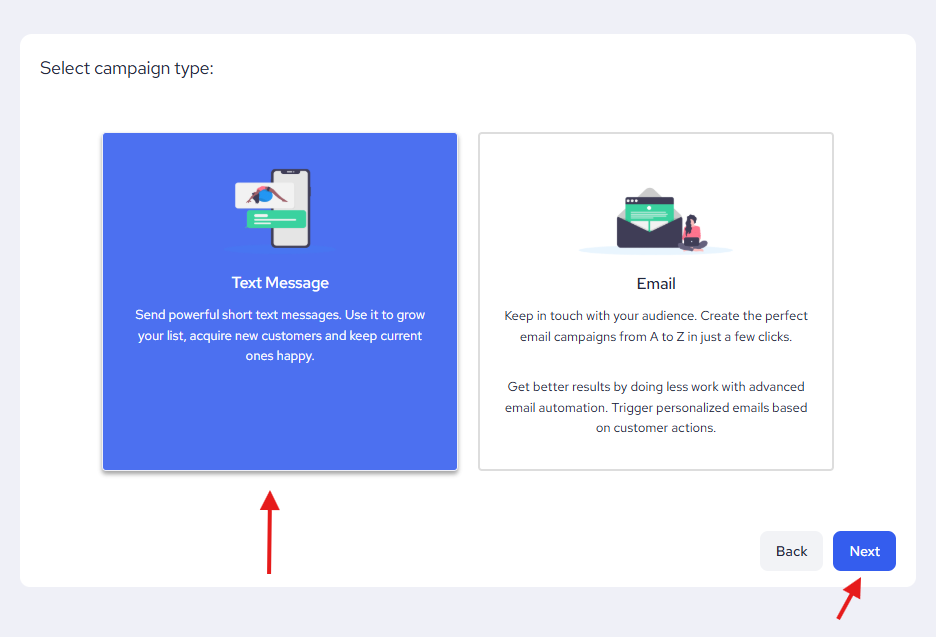
Choose Text Message as the campaign type and click Next.
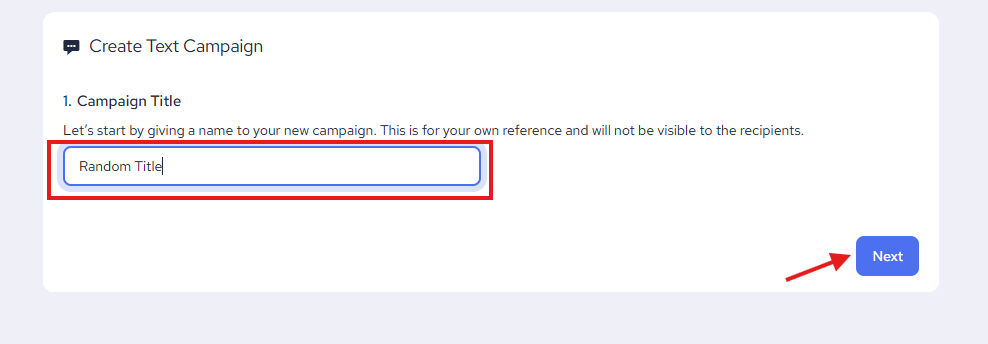
Give the campaign a random title and click Next again.
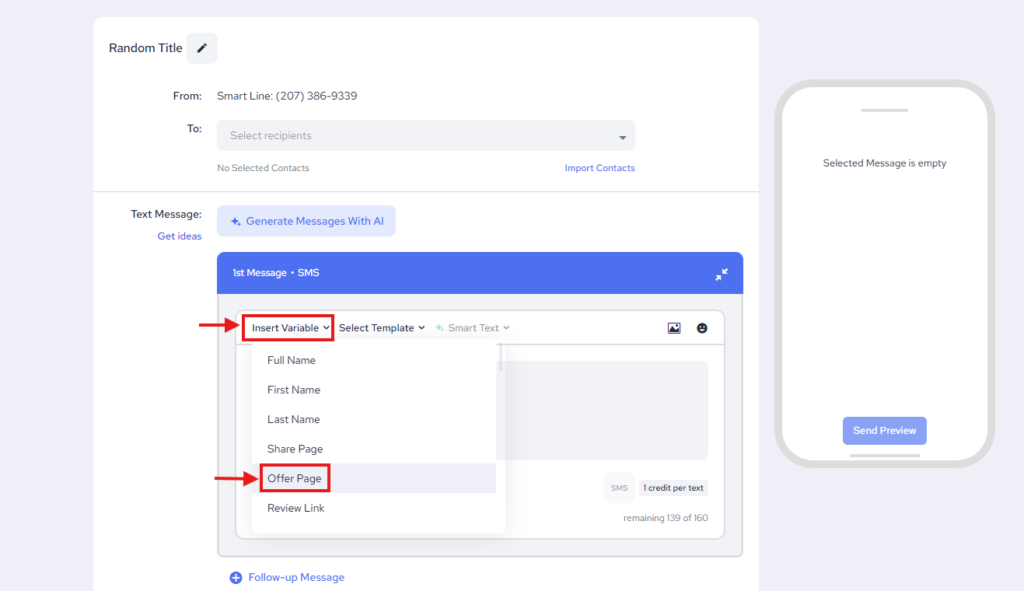
Now click on Insert Variable, then choose Offer Page.
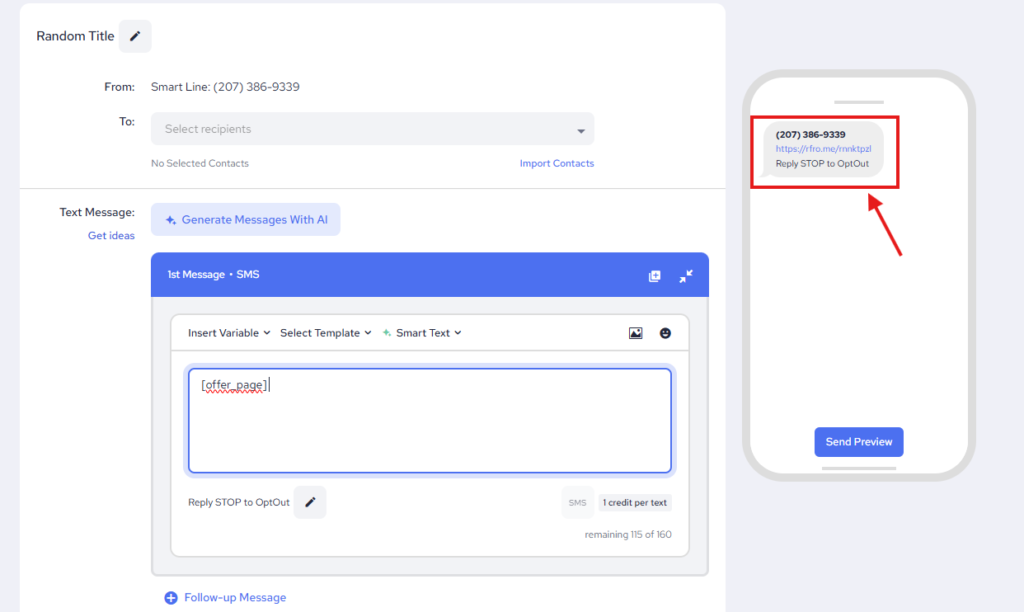
Your link will be in the preview section on the right-hand corner.
Note: Alternatively, you can skip creating the new campaign part and choose an existing campaign to get the link. (Campaign must be in draft for you to be able to edit)