
Step 1
Log into your Square account
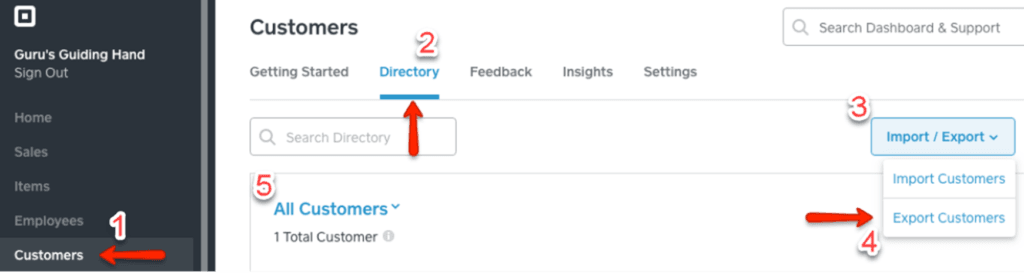
Step 2
Click on Customers in the left side menu
Step 3
Click on Directory
Step 4
Click on Import/Export, then select Export Customers
Step 5
Select All Customers from the dropdown menu
Step 6
Click on Export
Step 7
Click on Download to save the file