
To stay compliant with the Telephone Consumer Protection Act (TCPA), consent to receive marketing texts must come from the customer — not from staff acting on their behalf. For that reason, a customer who is unsubscribed from text messages can only be re-subscribed by the customer themselves.
Text and email are handled differently. Because of TCPA requirements for SMS, a client can only be re-subscribed to text messages by texting START themselves — staff cannot do it for them. Email re-subscription can still be done by staff from the contact profile, as long as you have the client’s consent.
How a customer re-subscribes to text messages
The customer texts START (or YES) to your Smart Line number. As soon as they do, they are opted back in to marketing texts automatically — no action is needed on your side.
If a customer asks you to re-subscribe them, let them know they’ll need to text START to your Smart Line to opt back in. You can share your Smart Line number with them so they know where to send it.
What you’ll see in the contact’s profile
If a contact is unsubscribed from text messages, the opt-in option in their profile will be disabled, with a note explaining that the customer must opt in themselves:
“To stay TCPA compliant, the customer must opt in to marketing texts by texting START to your smart line at (xxx) xxx-xxxx.”
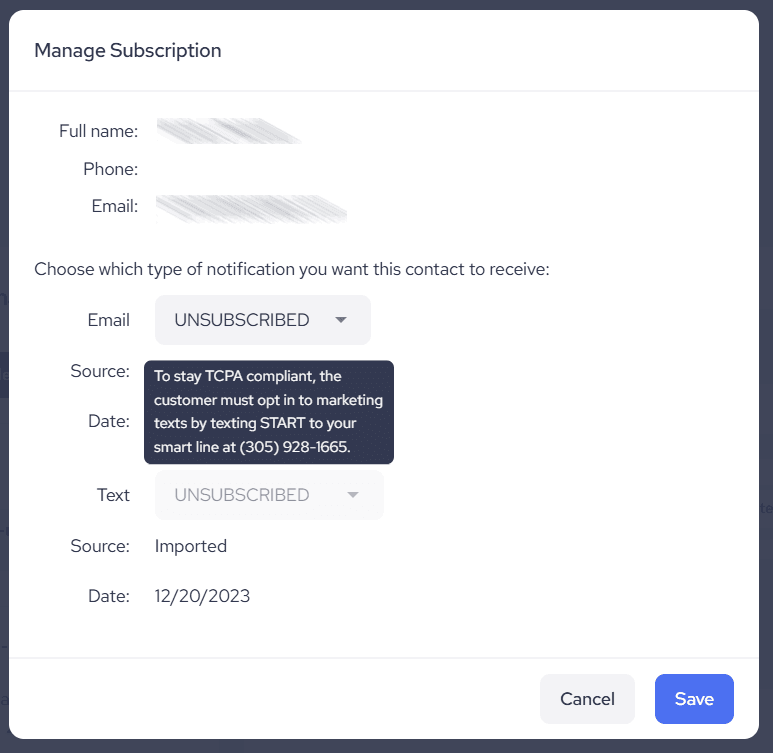
Note: Staff can still unsubscribe a customer from texts at any time, but cannot re-subscribe them. Once a customer is unsubscribed, only the customer can re-subscribe — by texting START to your Smart Line.
Re-subscribing to email
Email works differently from text. If you have the client’s consent to email them, you can re-subscribe them to email marketing directly from their contact profile:
- Go to Contacts in the left-hand menu and click the client’s name to open their profile.
- Click the dropdown menu next to their name and select Manage Subscription.
- Set their email subscription status to Subscribed, and save.
Only change a client’s email status to Subscribed when you have their permission to email them.
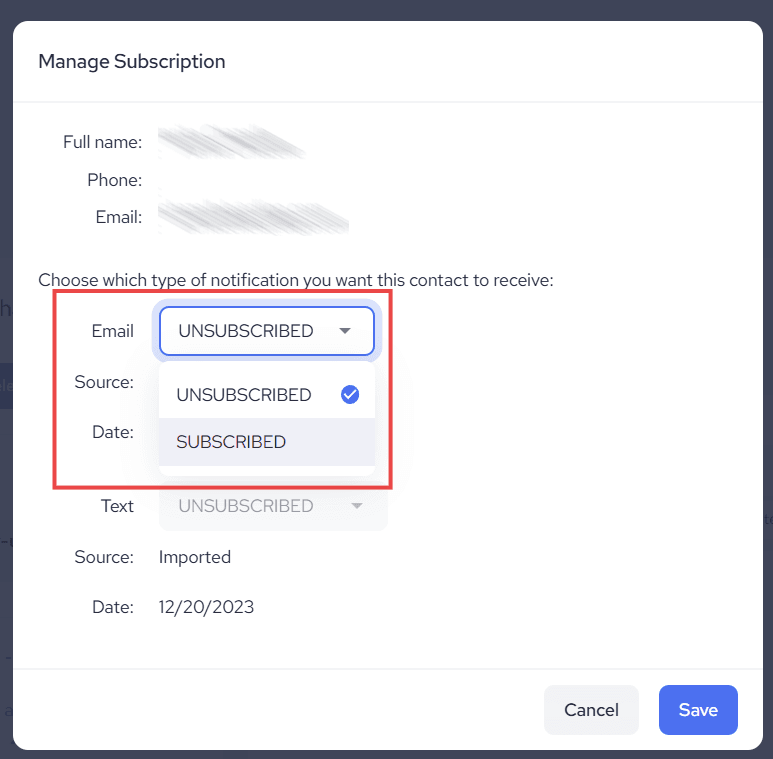
A client can also opt back in to email themselves through any email subscription form you’ve set up (for example, a subscription form embedded on your website).