
Step 1
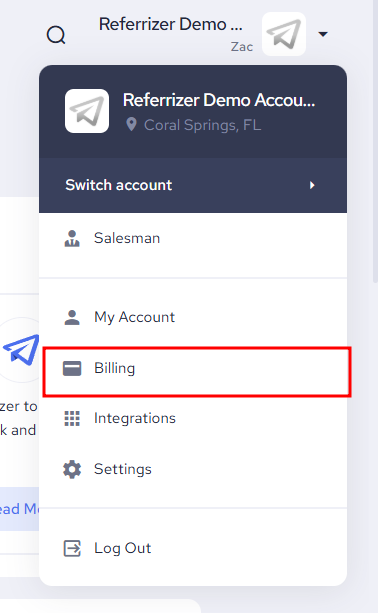
While logged into your account, click on your name in the top right corner and a drop-down list will appear. Next, select Billing.
Step 2
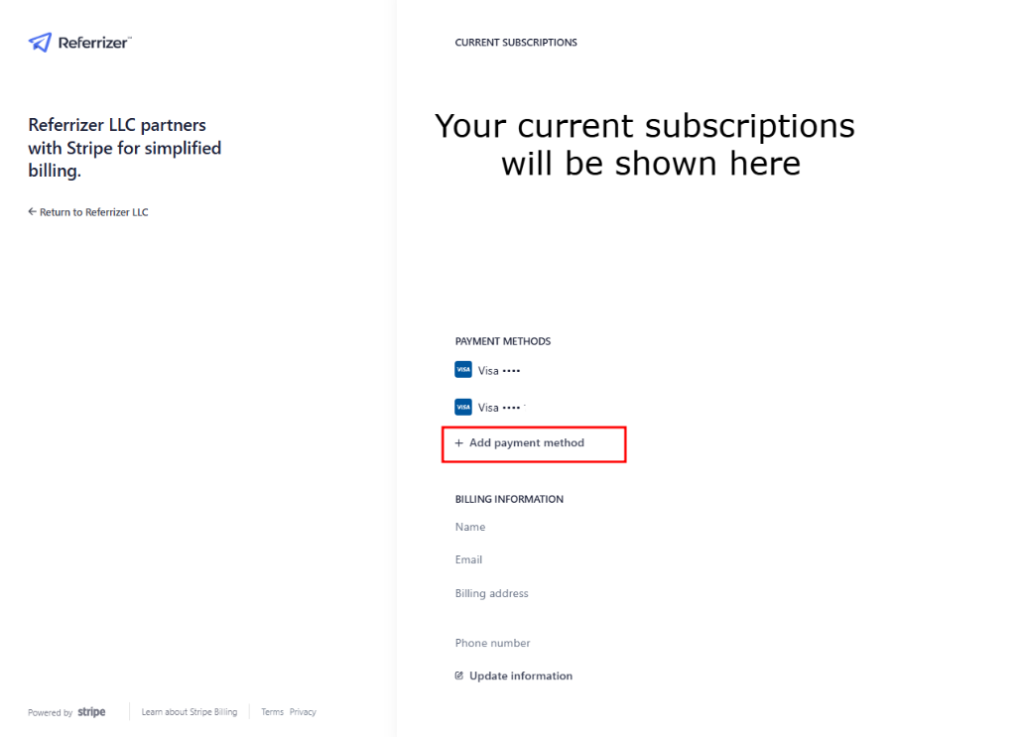
In the Payment Method Tab, you’ll see your existing payment methods, along with the Edit Button.
Click the edit button

Step 3
Select “Add Payment Method”
Step 4: Adding a Credit Card
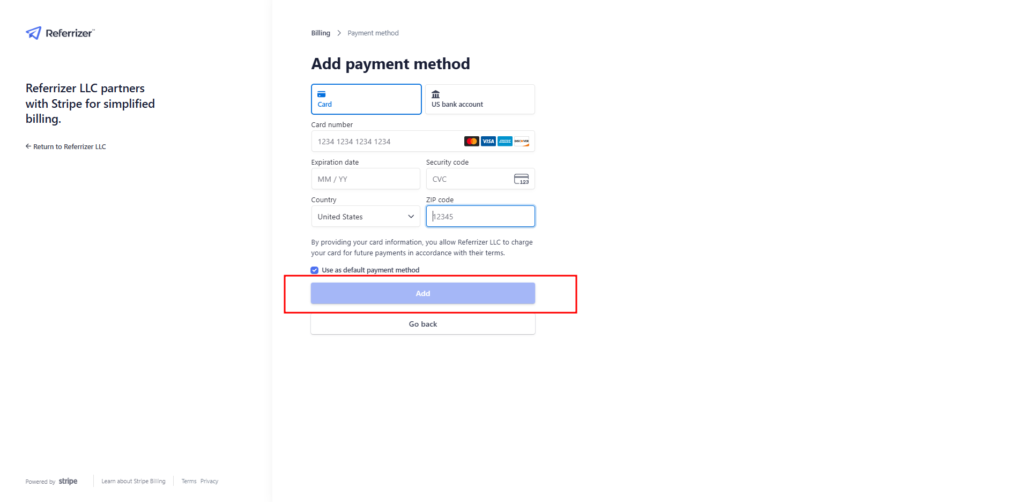
Enter your credit card details, then click add.