
Adding a Background Image to your Referrizer Email Campaigns
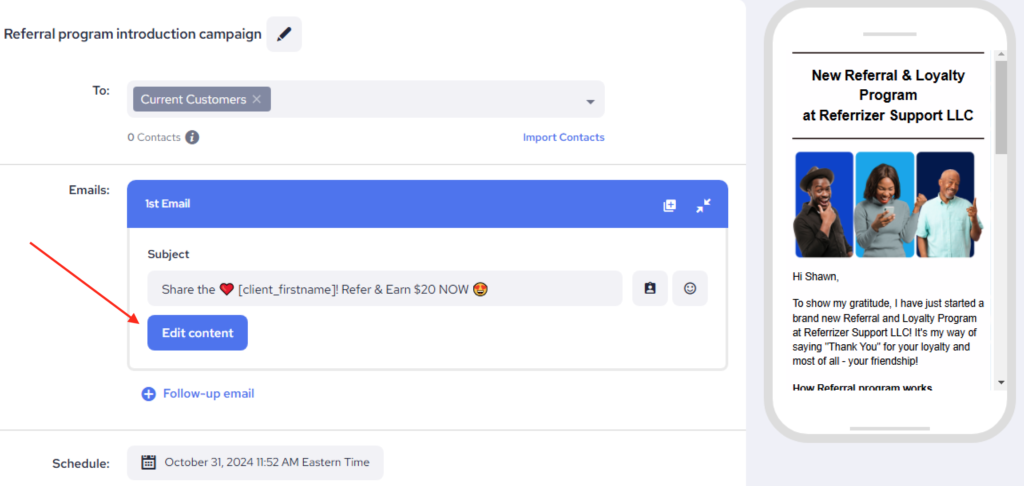
- Open the Email Editor and click on Edit Content:
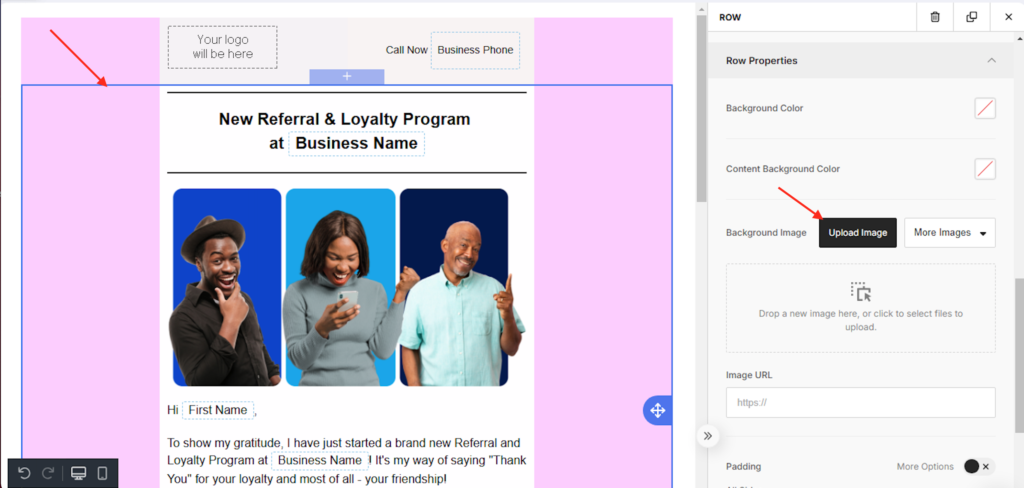
2. Click on the email’s background and use the ‘Upload image‘ button in the menu:
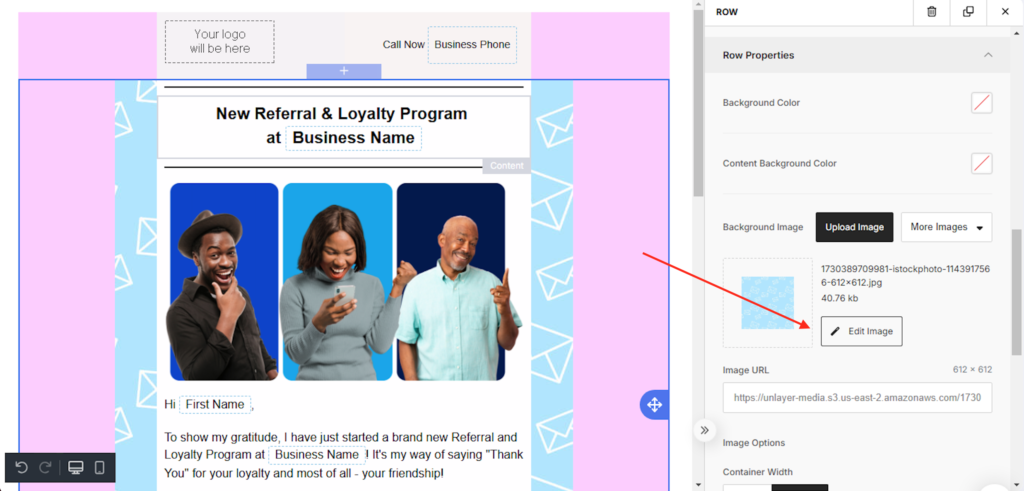
3. Once you upload your background image, adjust it using Edit image
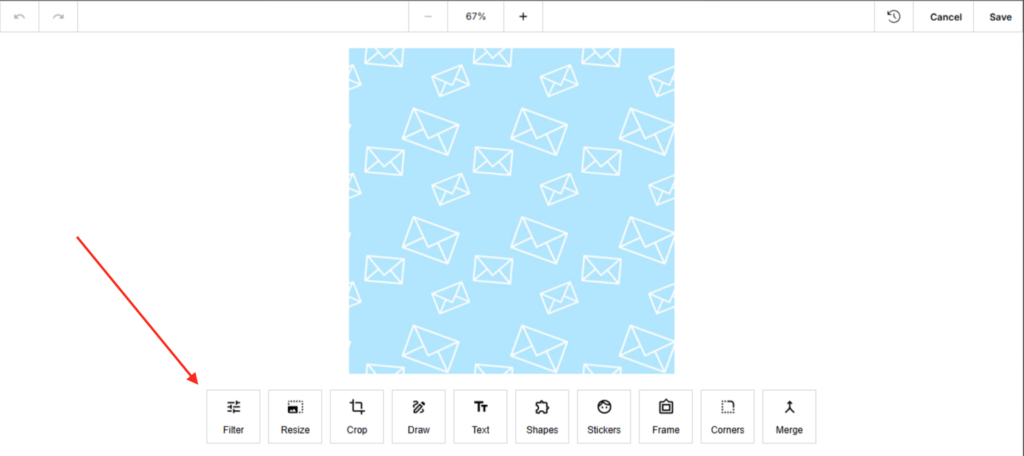
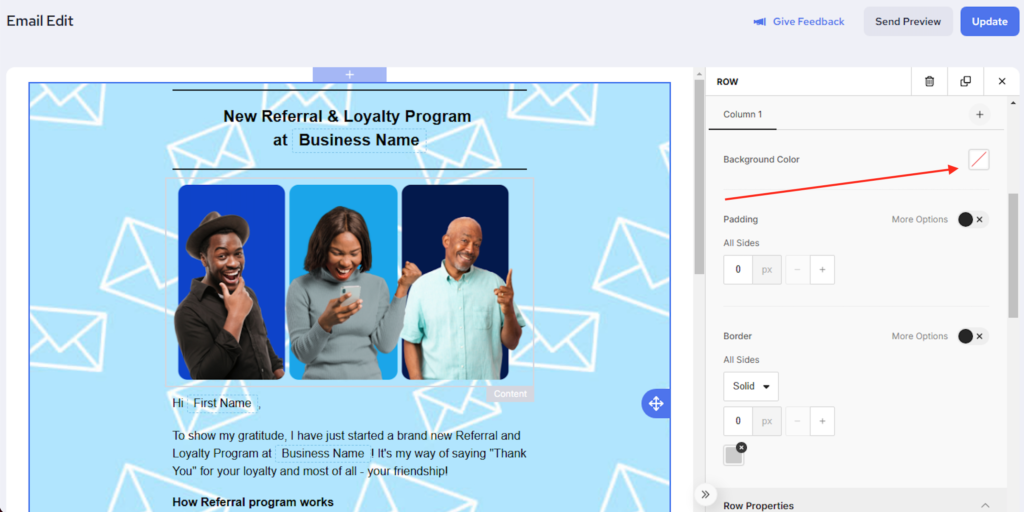
4. Once the image is adjusted, click to remove the background color
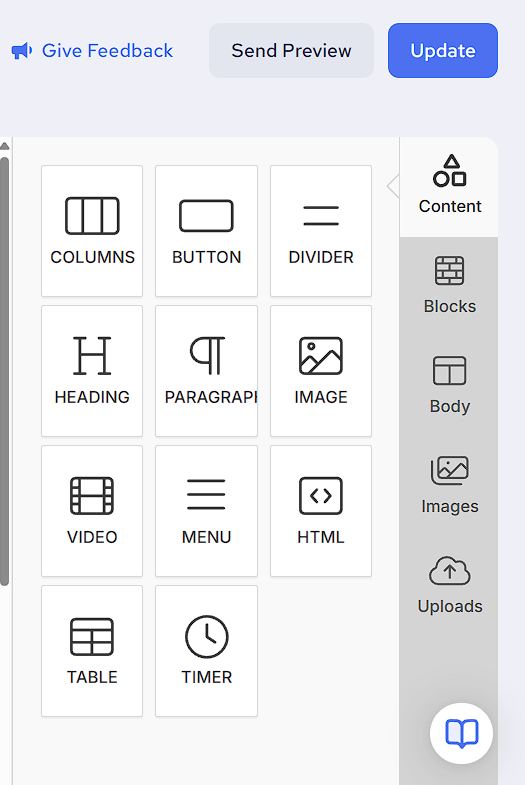
4. Once editing is done, use Send Preview (optional) or proceed to Update your email.
Important Notes:
While a background image can enhance the appearance of your email, it’s important to consider readability. Make sure any text over the background is still easy to read, and avoid using overly bright or detailed images.
Also, consider that the image “heavy” emails tend to cause decreased delivery rates. When it comes to emails in general – simple design with a short and sweet content is always the best strategy.
If you have any questions or need further help, our support team is here to assist!