
To track revenue generated by a specific campaign, you must be a Mindbody user with your account connected to Referrizer.
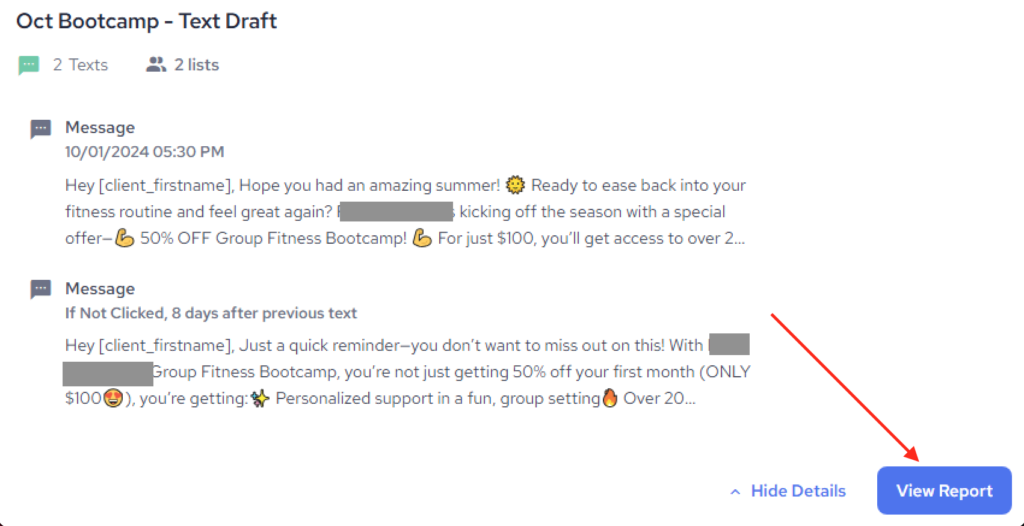
1. Find the campaign which revenue data you wish to check out and click on View Report
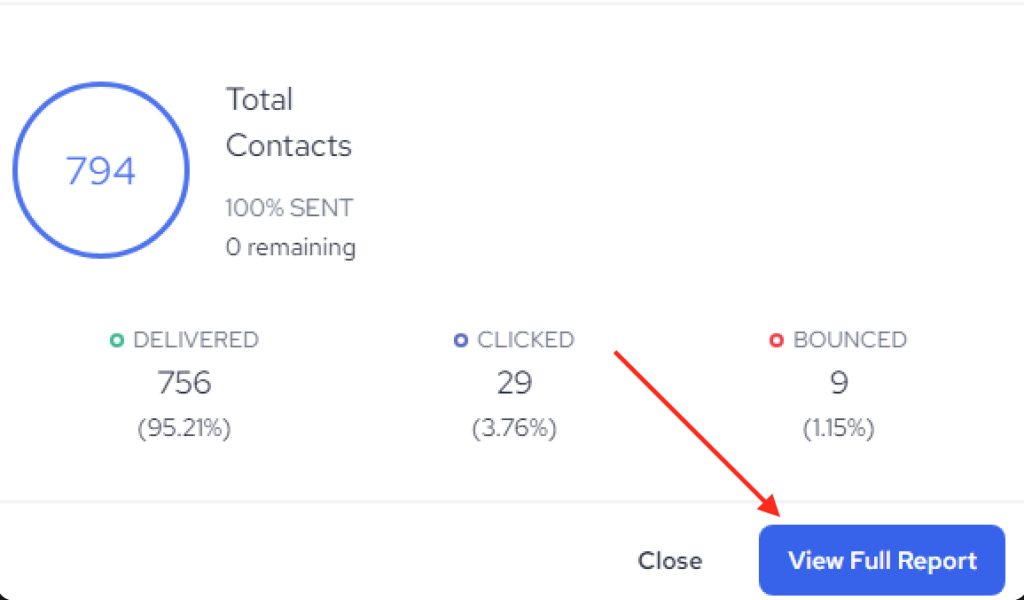
2. Click on View Full Report
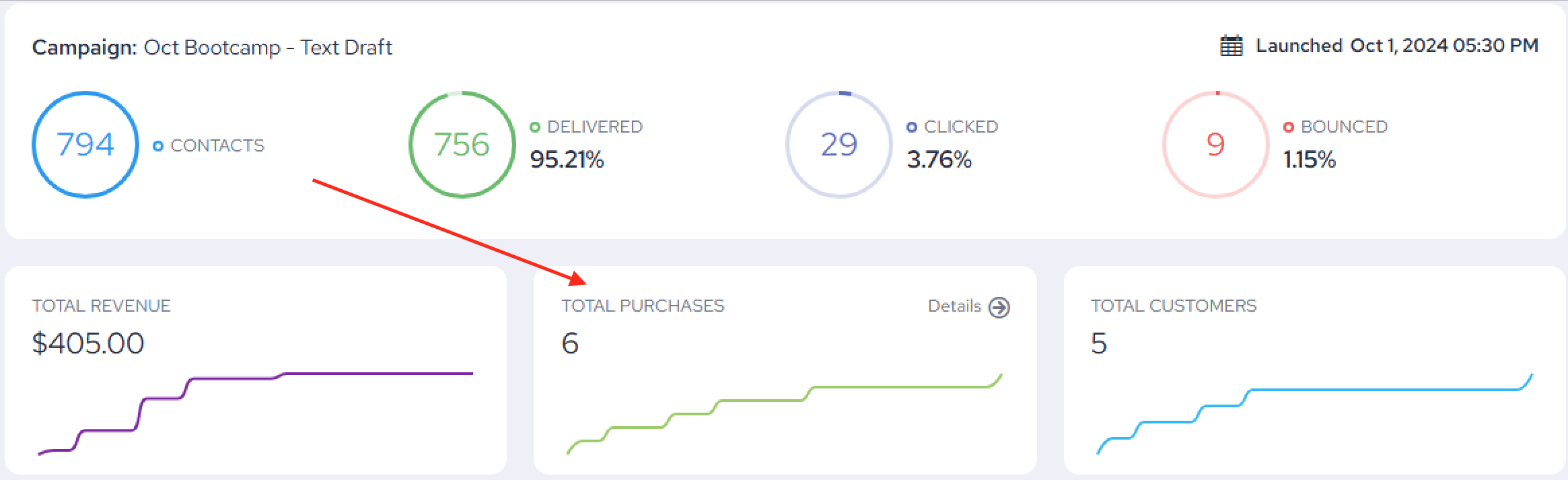
3. Check out your PURCHASES details
Important Note:
This revenue tracking feature is exclusively available to clients using Mindbody as their POS system. Accounts not integrated with Mindbody do not have access to this particular revenue tracking capability at this time.
If you’re interested in setting up the Mindbody integration or need assistance with tracking, our support team is here to help!