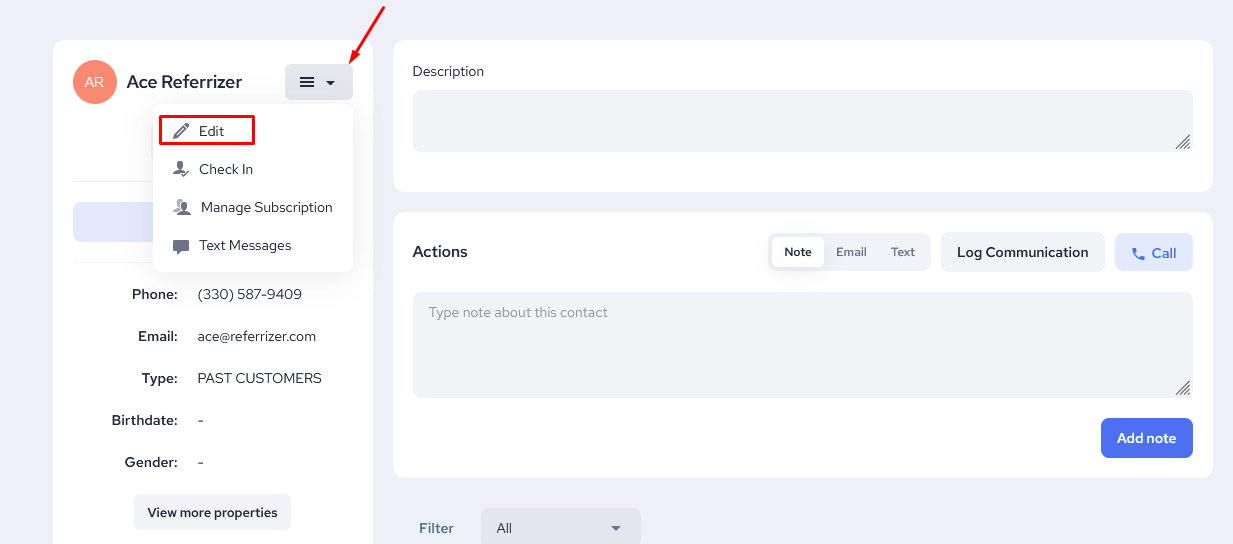
In order to add a custom contact field, you would need to open any contact. Click on 3 lines next to the contact’s name and from the drop down choose edit.
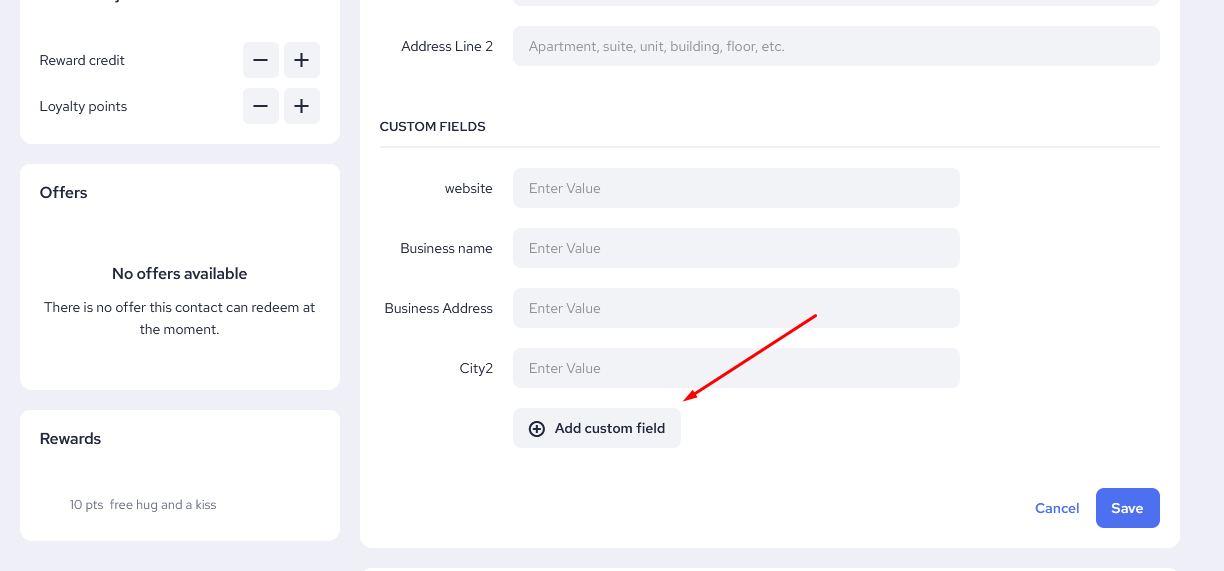
Scroll down until you see the Add custom field button
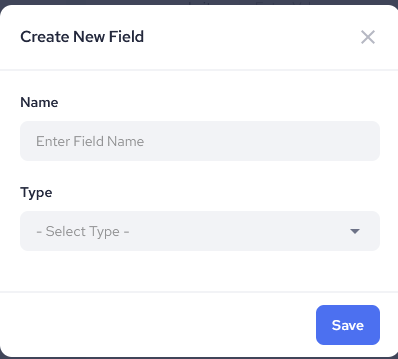
Create new field and click save

In order to add a custom contact field, you would need to open any contact. Click on 3 lines next to the contact’s name and from the drop down choose edit.
Scroll down until you see the Add custom field button
Create new field and click save