
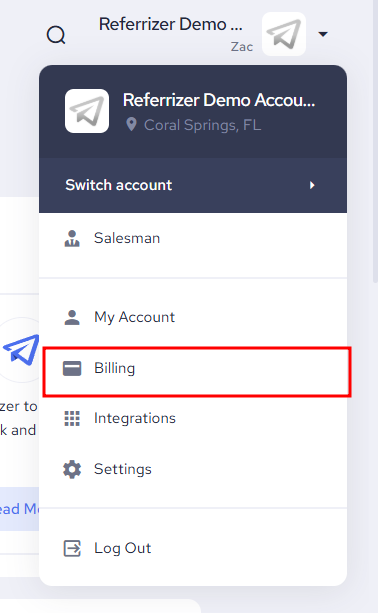
In order to switch your payment method, click your name on the top right corner of your account and a drop-down list will appear. Next, select Billing.
Then scroll down until you see the Payment Method section and then click “edit”

Next to the card that is not your current payment method, you’ll have a three dot icon
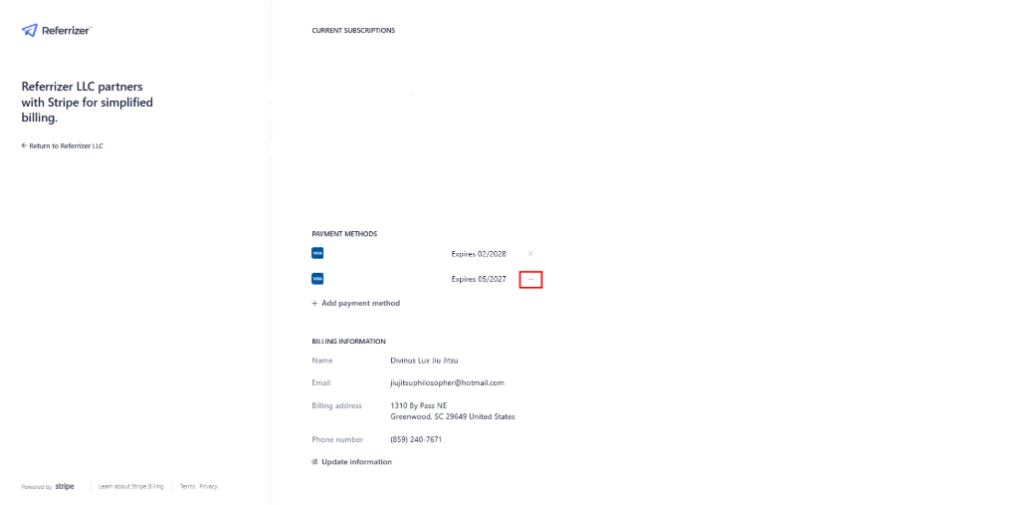
Once you click on it, a dropdown will appear, select “Make Default”
You’re done.