
Find out how to access and download past Referrizer invoices easily by navigating to the billing section in your account settings.
You can access and download all of your Referrizer invoices for record-keeping.
Your entire billing history is available in the billing page of your account. Your invoices are available to download as PDF files.
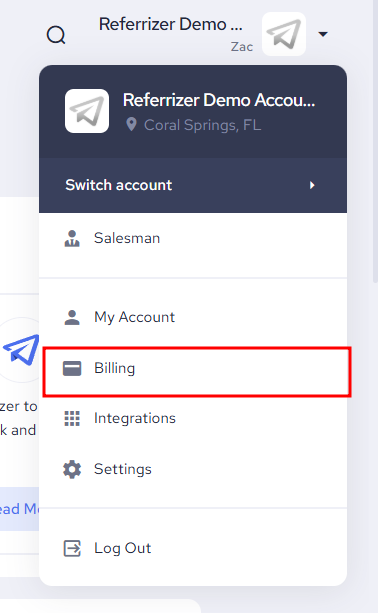
Click to open the dropdown menu next to your logo on the top right, then click billing.
Scroll down until you see the “Invoices Tab”
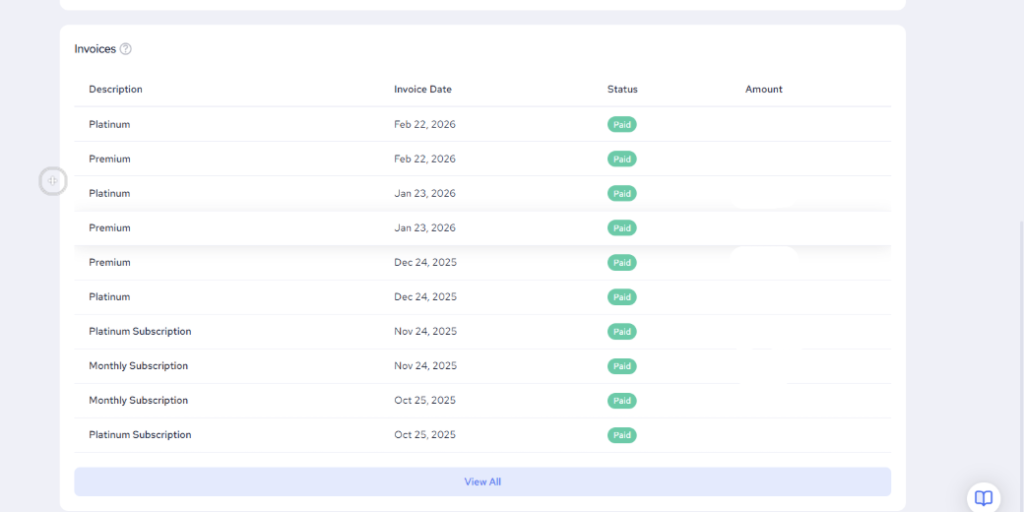
Simply click on the one you wish to download.
On the next screen, you’ll get an option to download the invoice, or a receipt.
You’re done.