
Up until now, businesses using Mindbody have been able to integrate with Referrizer to sync all of their contacts into their Referrizer account. Furthermore, any updates made to contact information in Mindbody would automatically sync with Referrizer when that contact checks-in.
Now, these businesses also have the ability to sync Referrizer leads back into Mindbody. Any leads created using the Referrizer system can automatically be synced into your Mindbody account, provided a few conditions are met.
Requirements
- ‘Referrizer’ needs to be added in ‘Referral types’ in your Mindbody account
- ‘Required Fields in Business Mode’ needs to be unchecked in your Mindbody account
- ‘Sync leads to Mindbody’ option must be turned on in your Referrizer account
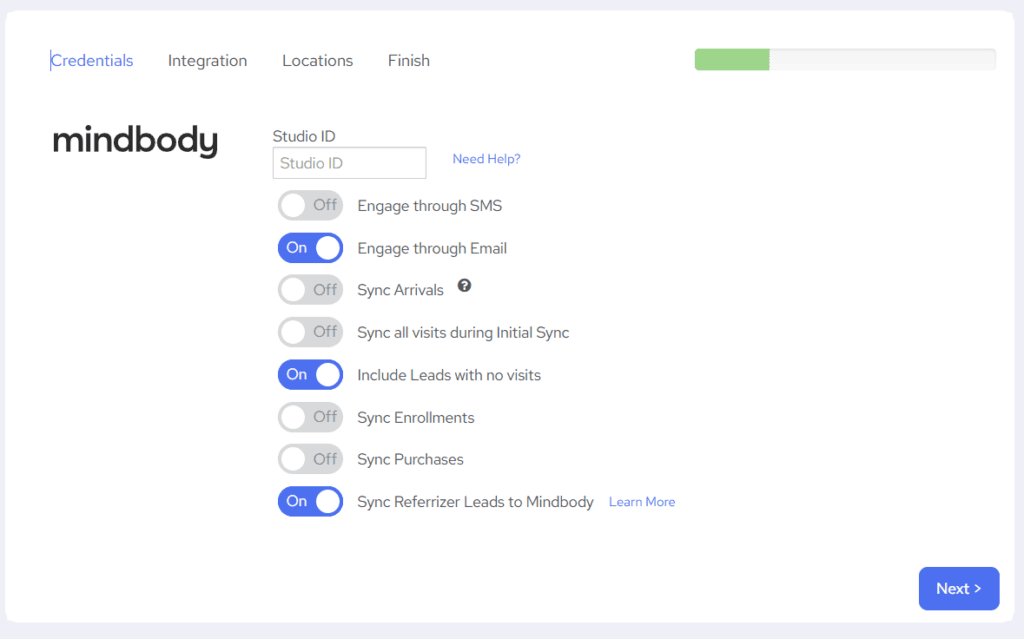
How to send leads to Mindbody
1. In your Mindbody settings, go to ‘Referral types’.
2. Click on the ‘Add New Referral’ and add Referrizer in the Name box.
3. In your Mindbody settings, go to ‘Required Fields’.
4. Uncheck all boxes in the Business Mode column, then click Update (optional: you can keep Mobile Phone checked).
Note: Uncheck any field that your Referrizer contacts might not always have. If a mobile phone is required in Mindbody, only contacts with a phone number will sync successfully.
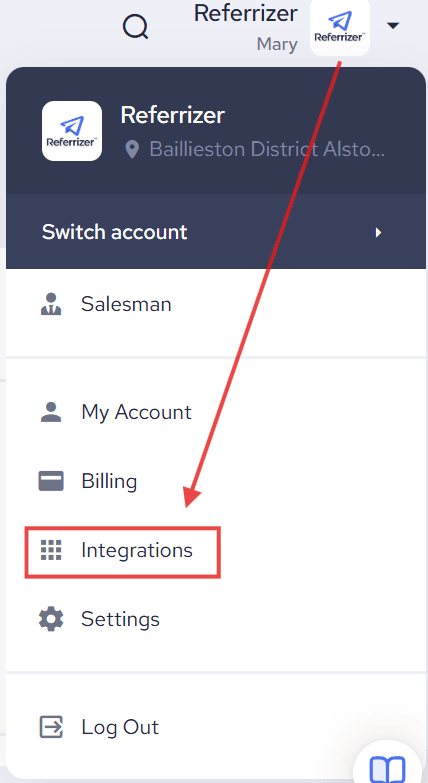
5. In your Referrizer account, click on your name in the top right. Then click on Integrations.
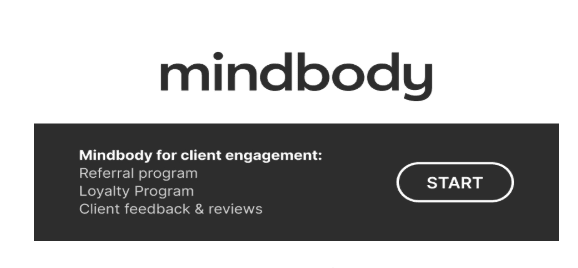
6. Click on Mindbody.
7. Next, turn ON the toggle for Sync Leads to Mindbody.

8. Then click Next through the additional windows and then Finish.
Now your new leads from Referrizer (from the following sources) will sync to your Mindbody account:
- Website Widget
- Landing Page (including Landing Page Claim, Landing Page Subscribe, and Landing Page Contact Form)
- Web App (Self Registered)
- Manually added contacts (from Customers Page)
- PartnerUp Network
- Loyalty Widget
- Invites / Invited contacts
- Search Field
- Master
- Contact Form
- Subscription Form
- Reviews Widget
- Zapier
- API
Note: A lead to sync successfully, the contact must have a first name, last name, and at least one of: mobile phone or email. Contacts missing these fields will be skipped.