
Referrizer allows you to filter and target contacts for both regular and automated campaigns. This article will explain how triggers work in these two types of campaigns and how the system uses set-up conditions to ensure the right contacts receive the right message at the right time.
What Are Triggers?
A trigger is an action or event that causes a campaign (email or text) to be sent to a contact. In Referrizer, triggers within filters are based on conditions you set, such as a contact meeting a specific threshold of visits, purchases, or other actions.
These triggers behave differently depending on whether you’re running a regular campaign or an automated campaign.
How Triggers Work in Regular Campaigns
In regular campaigns, triggers are applied instantly to contacts that meet the conditions when the campaign is launched. Here’s how it works:
Setting up the Trigger: When creating a regular campaign (email or SMS), you can set filters based on trigger’s conditions, such as “Visits – equals – 2.”
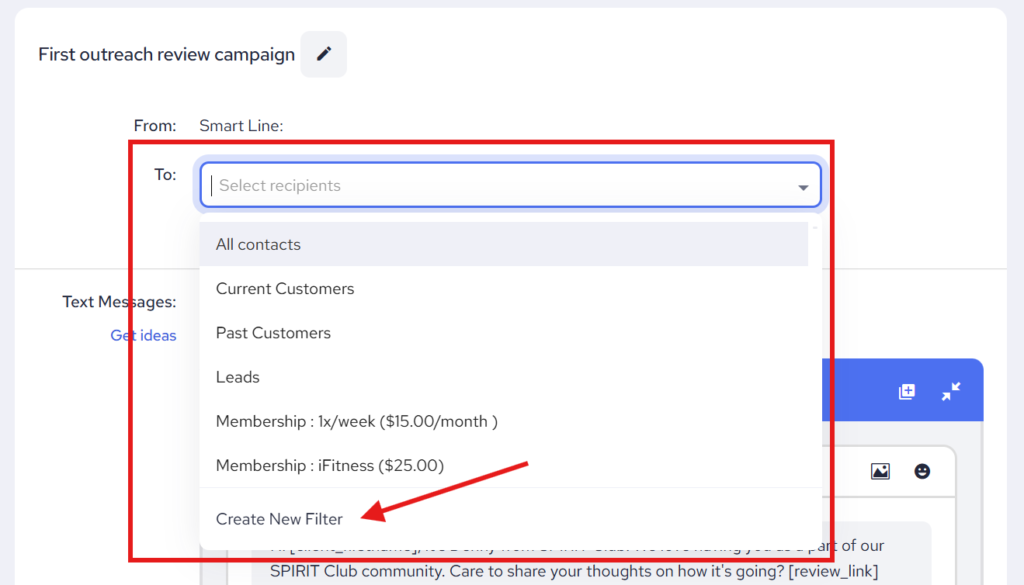
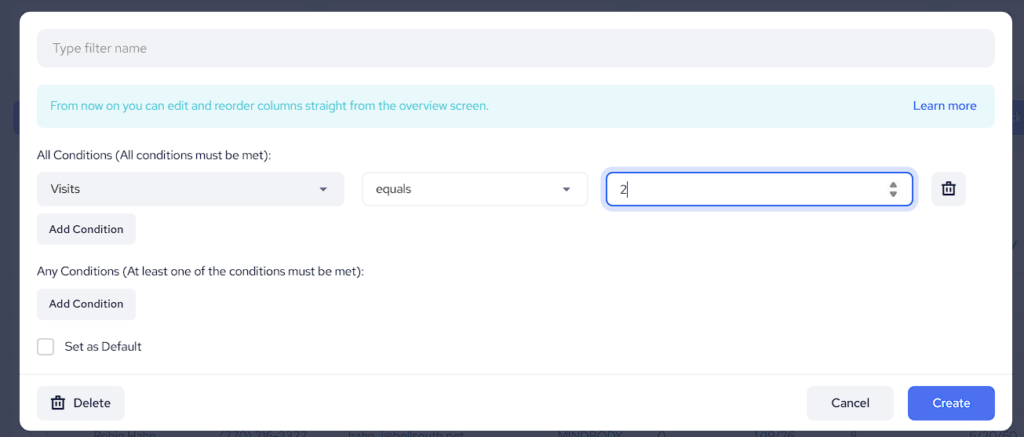
Triggering Action: After the campaign is launched, the system reviews all contacts to identify those who currently meet the conditions.
Example: If the condition is set to “2 visits,” Referrizer will immediately target all contacts who have made 2 visits up until that moment.
Result: All contacts who meet this condition when the campaign is sent will receive the message.
Regular campaigns are based on the current status of your contacts. The system does not track whether these contacts will meet the condition in the future; it only acts on the present data.
How Triggers Work in Automated Campaigns
In automated campaigns, the triggers are designed to act on future events and will only target contacts who meet the conditions in the future. Here’s how automated triggers work:
Setting up the Trigger: In your Campaign Editor, when creating an automated campaign, you set triggers based on conditions like “Visits – grater than – 2.”
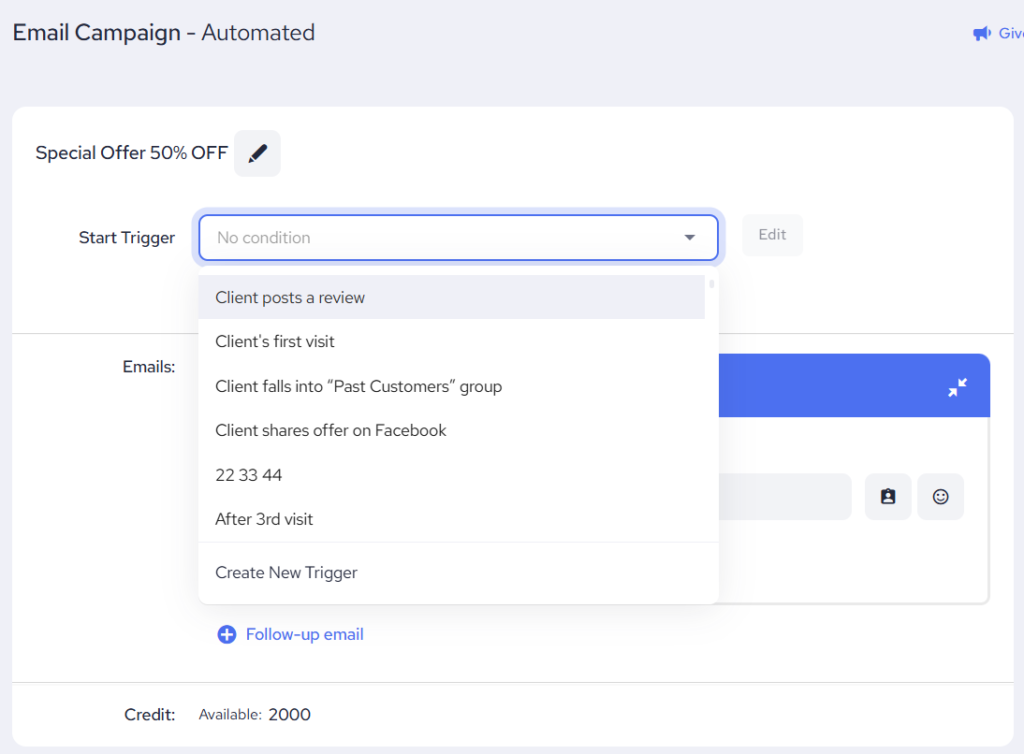
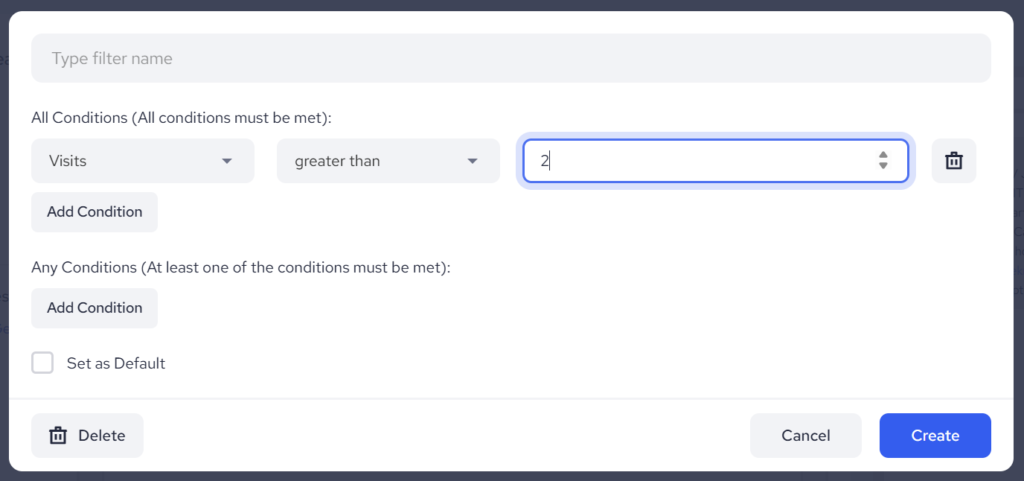
Triggering Action at Campaign Creation: When an automated campaign is created, the system checks all contacts to see who currently meets the condition.
Example: If the condition is set to “Visits – greater than – 2,” the system checks who has more than 2 visits at the time of campaign creation. These contacts will not receive the campaign.
Future Triggering Action: Over time, as a contact meets the set condition (e.g., they reach 3 visits), the campaign will automatically trigger for that contact.
Example: A contact with only 2 visits at the time of campaign creation will not receive the automated message.
Summary:
For regular campaigns, triggers apply to contacts who meet the conditions at the time the campaign is sent.
For automated campaigns, triggers apply to future actions. Contacts who meet the condition at the moment of campaign creation are excluded.