
Based on your feedback, we’ve decided to separate Regular and Automated Campaigns into two distinct pages. This change will make it easier for you to manage each campaign type.
To start click on the Campaigns button from the left-hand side navigation bar and then select the Regular or Automated option.
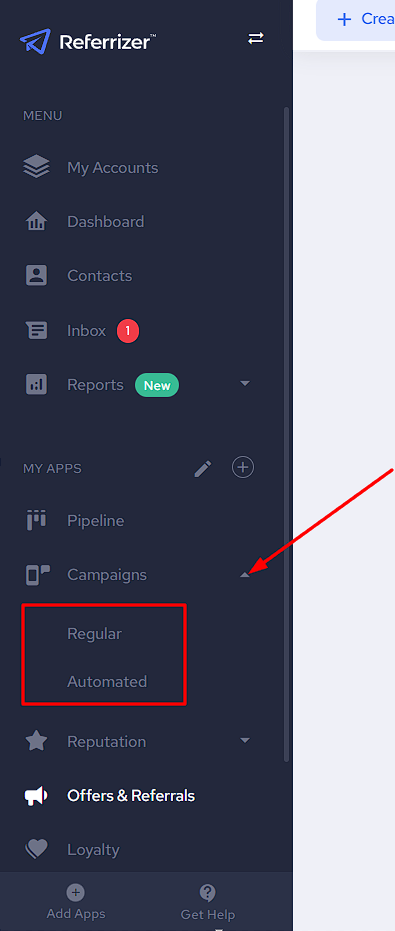
Keep in mind the following changes that apply to each page:
- The page for Regular campaigns will only show reports and folders related to regular campaigns.
- The page for Automated campaigns will only show reports and folders related to automated campaigns.
- Filtering campaigns by type allows you to display only text or email campaigns on the list.
- When creating a new campaign, the option to choose between Regular or Automated is no longer available. The campaign type is determined by the page you start creating from.