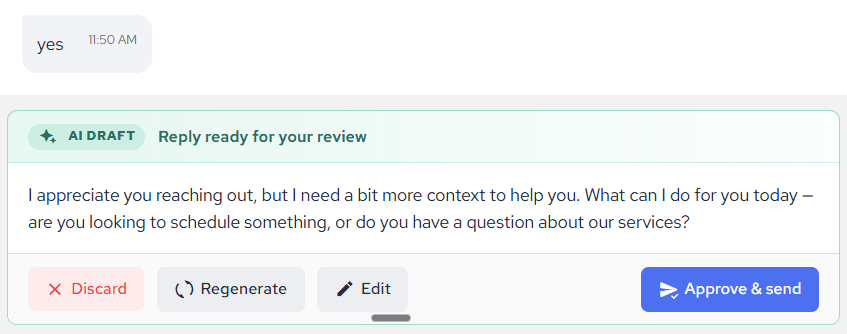
Every message your AI Assistant sends is clearly marked, so you and your team always know who said what in a conversation. This guide shows what to look for.
In the conversation
- AI messages carry an AI Assistant author line with a bot icon underneath the message, so they’re instantly distinguishable.
- Messages sent by your team show the team member’s name underneath instead.
- Customer messages appear on the opposite side, like any regular conversation.
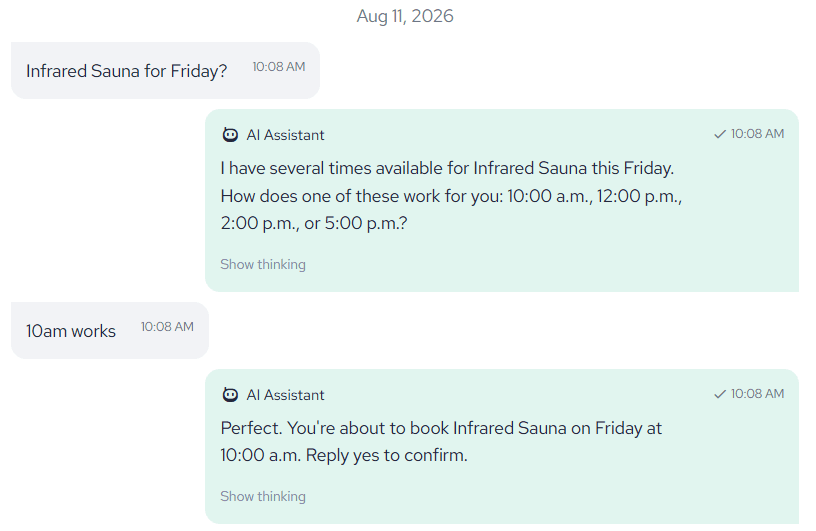
You may also see status stickers on customer messages:
- “Needs your answer” (orange) – the AI couldn’t answer this question and flagged it for a human. Clicking it takes you straight to where you can answer.
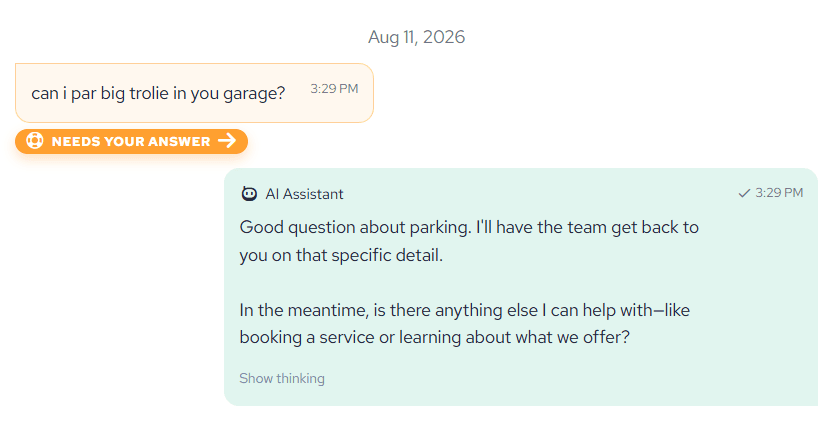
- “Answered by AI” (green) – a previously flagged question the AI has since resolved.
When you answer flagged questions, the AI weaves your answers into one reply – that message is marked as sent by the AI Assistant (relayed your answers), so it’s transparent that the AI delivered a human-provided answer.
In the conversation list
- Status pills on each conversation show at a glance where the AI is involved – for example, a draft waiting for your review in Test Mode.
In Test Mode
Draft replies waiting for your approval appear inside the conversation as a clearly separated draft card – they are not part of the conversation yet, and nothing is visible to the customer until you approve.